Vzdálenost
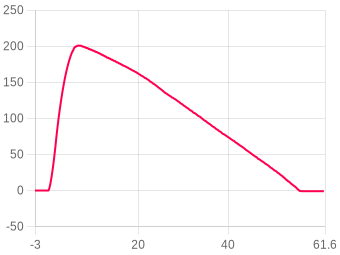
Zvolte jednotku vzdálenosti: Metry(m), Stopy(ft), Míle(mi) nebo Kilometry(km)
Rychlost
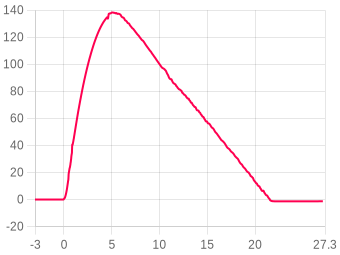
Zvolte jednotku rychlosti: m/s, ft/s, mph nebo km/h
Zrychlení
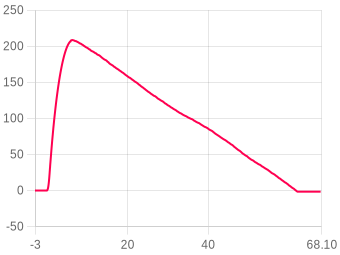
Zvolte jednotku zrychlení: m/s² nebo G
Green Eggs (3) flight 6 (Nano 2)
Zobrazit události
Apogeum Vyhoření Přistání Výstup/Pravidla Blokování Rychlosti Vypuštění
Stáhnout
Upravit tepl. & tlak ?
Obrázek
Datové sady
Klikněte na legendu pro zobrazení nebo skrytí dat
Přiblížení
Klikněte a táhněte nebo použijte gesto
Porovnat let ?
Shrnutí letu
Výška
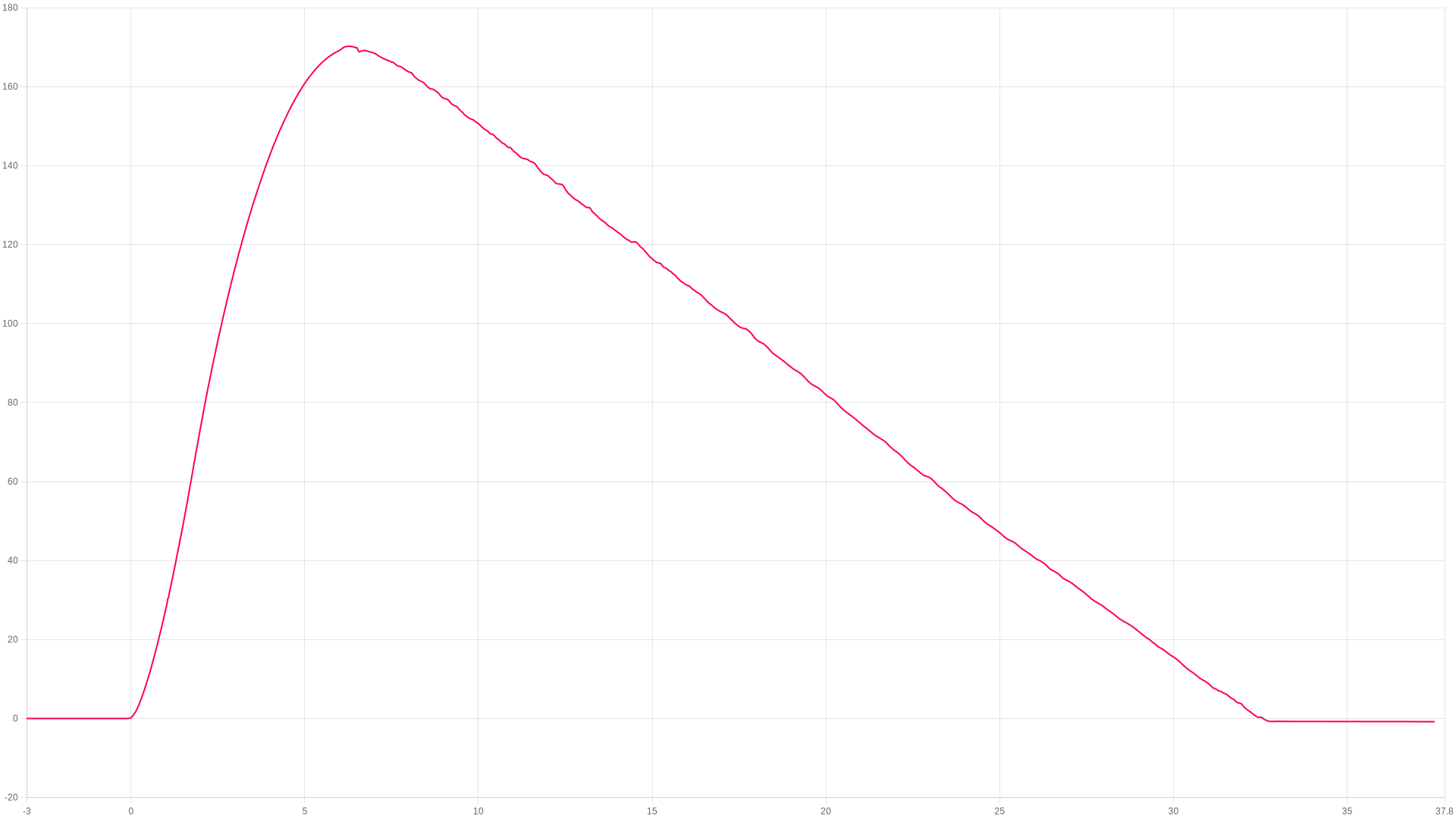
Apogeum
170.23 Metry
Čas do apogea
6.28 seconds
Výška vyhoření
69.7 m
Výška max. rychlosti
63.44 m
Výška vypuštění
169.71 m
Výška přistání
-0.4 m
Stabilita
Skóre stability
93.3 / 100   (Výborný)
Náklon při dohoření (20%)91.7
Klápění/zatáčení (30%)97.3
Coning · boost (25%)96.8
Přímost tahu (15%)88
Launch tilt 3.3° · Coning 16.3/18°/s · Spin 187.9°/s · Thrust 97.5%
About this score
Worked out from the flight log between liftoff and 80% of apogee, independent of the angle the altimeter was mounted at in the airframe.
Náklon při dohoření (20%) – how close to vertical it left the rod.
Klápění/zatáčení (30%) and Coning · boost (25%) – how much the nose swung off the rocket's own axis. The main factor.
Přímost tahu (15%) – how cleanly the motor pushed along the body.
Spin about the rocket's own axis is not counted against it — a fast, straight spin is stable. The line under the bars shows the raw measurements.
Rychlost
Max. stoupání
52.15 m/s
Max. klesání
-14.81 m/s
Při vyhoření
47.860 m/s
Rychl. přistání
-6.276 m/s
Rychl. klesání
-6.300 m/s
Rychl. vypuštění
6.25 m/s
Recovery
Single deploy (no dual deploy detected)
Zrychlení
Max. stoupání
30.64 G
Max. klesání
28.99 G
Max. při spalování
13.02 G
Prúm. stoupání
0.35 G
Prúm. spalování
2.76 G
Časy
Vyhoření (první)
1.92 seconds
Apogeum
6.28 seconds
Možné vypuštění
6.086 seconds
Přistání
32.65 seconds
Úhly
Náklon rampy
7.22°
Thrust calc pad tilt
3.3°
Max. náklon do vyhoření
10.80°
Klápění při startu
-1.37°
Klopní při startu
-7.08°
Max. rotace (spal.)
259.7 dps
Prúm. rotace (spal.)
186.55 dps
Obecné
Datum nahrání
18/06/26-03:32:51
Datové vzorky
5960
Celkový čas záznamu
48.918 s
Prúm. vzorký/s
121.8
Počet blokování
0
Výška záznamu
-41.78 m
Start po zapnutí
5m 58s
Referenční osa
X
Baterie & teplota
Baterie začátek
63%
Baterie konec
63%
Teplota začátek
41.58°C
Teplota konec
42.71°C
Animace dat letu

FLIGHT 1816

170.23 Meters

ALTITUDE
0.00m
VELOCITY
0.00m/s
ACCEL
0.00G
TILT
0.00°
PITCH
0.00°
ROLL
0.00°
YAW
0.00°
TIME
0.00s
AWAITING LAUNCH
ALT
altimetercloud.com
LAUNCH T+0.00s LANDING

BURNOUT

Motor burn complete

Poznámka: Animace letu vyžaduje montáž výškoměru v pevné orientaci. Kalibrujte senzory pro nejlepší výsledky.
Uživatelské poznámky
Nano appeared to have run down after flight, but log was recovered after charging for some time. flightinfo.html is blank. Odd that the stats here show charge at 63% post-flight.
Přidejte toto zařízení ke svému účtu pro úpravy
Youtube video
Žádné video
Přidejte toto zařízení ke svému účtu pro úpravy
Obrázky letu (0)
Žádné obrázky
Propojená raketa
K tomuto letu není připojena žádná raketa
Informace o zařízení
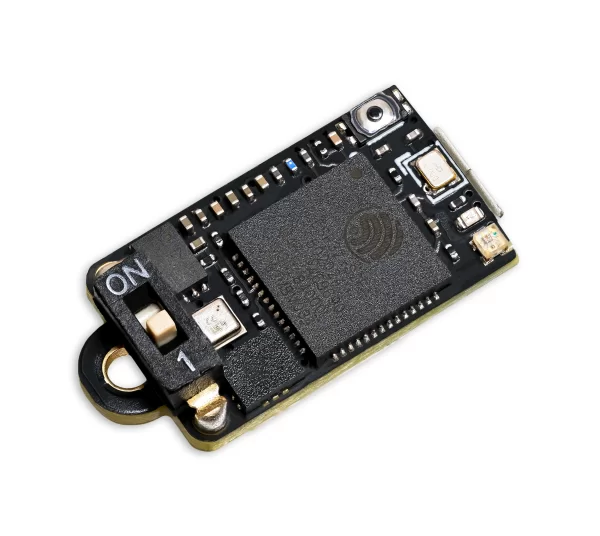
Nano V1
Tento let byl proveden na Nano V1.
Verze hardware
Rev 4
Verze software
1.52
Naposledy online
18/06/26-03:32:51
Snímač tlaku
Bosch BMP 581
Akcelerometr
32G 3-axis
Gyroskop
2000 dgps 3-axis
Motory letu
1st Stage
1x
Estes
D12-5
Přidejte toto zařízení ke svému účtu pro úpravy
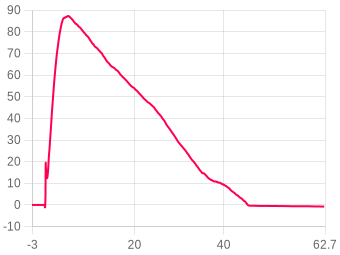
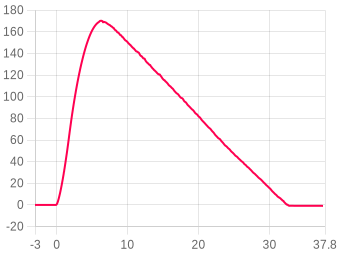
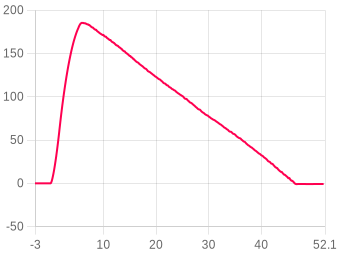
Spalování motoru
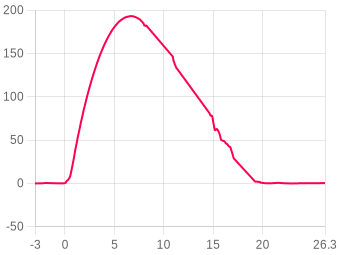
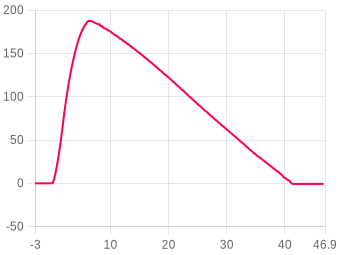
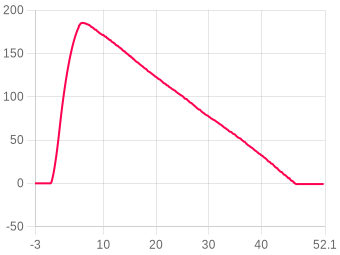
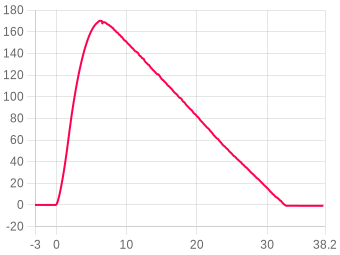
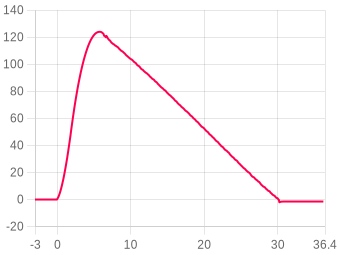
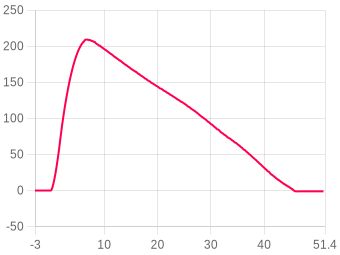
The dashed line is the combined thrust curve for your motors (data from thrustcurve.org), scaled so its peak matches the recorded acceleration maximum — the shape is meaningful, the absolute level is not (your rocket's weight is unknown).
Místo startu, datum a čas

Klikněte na mapu pro označení místa startu. Přepínejte mezi mapou a satelitním pohledem.

Klikněte na mapu · Přetáhněte pro úpravu

Lat Lng
✓ Launch location saved successfully.
✗ Could not save location — please try again.
Porovnání letú
Comparing against 5 other flights with the same motor configuration.
Highest apogee170.23 m 5th of 6
The maximum altitude reached above the launch point.
you
best
Best stability93.3 /100 1st of 6
How straight it flew: launch, coning and thrust straightness combined. 100 is perfect.
you
best
best 93.3 /100 · you
Fastest velocity52.15 m/s 5th of 6
Peak ascent velocity recorded during the flight.
you
best
Best avg burn G1.04 G 5th of 6
Average acceleration during the motor burn, in G.
you
best
Longest flight48.91 s 6th of 6
Total recording time from launch to landing.
you
best
Lowest spin186.55 dps 1st of 6
Average spin rate during the burn.
you
best
best 186.55 dps · you
Coldest flight0.41 C 5th of 6
Board temperature at launch.
you
best
🌲 Is it in a tree?-0.4 m 1st of 6
Just for fun: whichever flight came down closest to 8 m above the launch point (roughly tree height) is the one most likely stuck up a tree.
8 m
you
best
closest to 8 m · you at -0.4 m
Obecná nastavení letu
Toto je snímek nastavení použitých pro tento let. Přejděte na Přejděte na stránku Moje zařízení a nakonfigurujte nastavení..
Předpovězený tlak
i
Set this to your local forecast pressure at sea level. This will offer you slightly improved accuracty for your flight, although it's not 100% essential every little helps!

Xcweather.co.uk is a decent place to grab pressures from for your location and time.
1013.2 mbar
Detekce startu
i
This is the altitude above the launch pad altitude where the altimeter will trigger itself into recording / flight mode.

The altimeter keeps a constant average of the pressure while waiting for launch, it uses a simple algorithm and the pre-flight buffers to do this. The most recent 120 samples (~4 seconds) are ignored so your pre-trigger altitude won't effect the ground baseline.

For almost all uses we suggest keeping this on the 25 Meter (~82 feet) default settings. If you want to test your altimeter by throwing it in the air, or are planning a very low flight you may want to lower the setting.
30 meters
Sample ratio
i
The altimeter runs at 50Hz however you can record every sample or every X samples in order to extend the log time. For example if you set the ratio to 1 it will save 1:1 samples, or if you set it to 3 it will save 1 in 3 samples.
1:1 (50Hz)
Max samples
i
This is the maximum samples the altimeter will log per flight. When it reaches this amount it will stop and save the recording.
0
Recording stop
i
This setting is how the altimeter decides to stop recording. You can choose either 450 (~9s) or 900 (~18s) samples stable or it will record until the max samples limit unless you press the BUTTON in Manual stop mode.

The samples stable method waits for the devices altitude not to change for the set number of samples. This is defined by not changing by more than +/- 1.0 meters for 98% of the samples, it's a reliable method to stop the recording after landing within 8-10 seconds (300 sample) or 16-20 seconds (600 sample).
Auto: 450 samples stable (~9s)
Oversampling
i
Oversampling is a internal setting of the BMP 390 pressure sensor. It is how many samples are taken for each reading. By taking multiple samples for each pressure reading the altimeter reduces noise and increases the resolution of the output.

The sensor can run at 50 samples per second in 4X mode, so we suggest leaving it in this mode as it will offer the highest accuracy.
16x Oversampling
IIR filter
i
The IIR filter is another internal sensor for the BMP390 pressure sensor. It is a Infinite impulse response filter used to enhance pressure measurement accuracy by reducing noise. It's primarily for smoothing out rapid pressure changes.

We suggest not setting this too high as it will cause delay to changes in altitude if set very high.
COEFF 7
Pressure filter
i
This filter is a software Kalman filter that runs on the altimeters processor.

The Kalman filter uses a prediction step based on a system model and then a correction step using new measurements to refine its estimate, it creates accurate most certain results from data with noise in it.
TruePath 1.0
Sample speed
i
The sample rate of the altimeter's sensors. 50Hz takes 50 samples per second, 100Hz takes 100 samples per second for higher resolution data.
200 Hz
Hybrid mode
i
When enabled, the altimeter records at full speed during ascent then switches to half speed after apogee to extend recording time during descent.
Enabled
Sync sensors
i
The filters on the pressure sensor can cause it to lag very slightly behind the Accelerometer and Gyroscope data. The Sync sensors option detects how far out of sync these sensors are. It then corrects the Acceleration and Gyroscope readings to match the pressure sensor.
AKTIVOVÁNO (35 samples / 200ms)
Orientation
i
This is the orientation you intend to install the Altimeter in your rocket. It's needed to ensure completly accurate angles and orientation charts and reports. Check out the Manual for more information on this.
Down (text up)
IMU filter
i
The IMU filter, or fusion filter takes the data from each axis of the Gyroscope and Accelerometer to calculate the Pitch, Roll, Yaw and tilt angle from vertical. These filters can build up some discrepency over time so it's important to calibrate your sensors to minimise this.
Madgwick 6-Axis
Launch ALP
i
This is prevention against accidental launch detection.

With this disabled the launch is based only on pressure and something that creates a low pressure can trigger the flight by accident. For example pulling your nose cone off can even trigger it.

With this enabled the rocket also needs to have seen 8 samples (0.25 seconds) of acceleration above this setting in the last 3 seconds as well as the pressure drop to trigger. There is a backup trigger of 1.05 seconds of altitude being above the launch detect setting too.

There are very few situations where this option would cause issues, so we suggest leaving it on.
1.5G
Launch lock
i
When enabled, the altimeter locks out recording for a set period after power on to prevent false triggering during setup.
DISABLED
Static temperature
i
A fixed temperature value used for altitude calculation when the external temperature sensor is disabled or not connected.
15 °C
Kalibrace senzorú
Kalibrační offsety použité pro tento let.
Gyroskop
X
2.000°
Y
0.000°
Z
0.000°
Akcelerometr
⚠ Akcelerometr nebyl zkalibrován
X
0.000 mG
Y
0.000 mG
Z
0.000 mG
Let
Komentáře
1
Komentáře1
Neil 18-Jun-2026 v 12:29
Hi, It's interesting about the battery. I'm wondering if the unit had in fact gone in to deep sleep. In this state you would need to turn the power switch off before connecting it to USB or it would remain in deep sleep.

It does this depending on the post flight setting and/or reaching maximum safe LiPo temperature (60C).

Best practice is ensuring power switch is off before connecting USB or turning it back on for another flight to be sure. Do let me know if you see that issue again though please as it's of interest to me.