- Destacados
 Actualización de firmwarev1.2
 Carga de registro de vuelov1.1
 Portal USB en Líneav1.0
 Configurador WiFi USB en líneav1.1
- Todas las herramientas
 3D parts toolv1.0
 Calculadora de orificios de ventilaciónv1.0
 API de Altimeter Cloudv1.0
 Predictor de altitudv1.0
 Calculadora de resistencia del tubov1.0
 Calculadora de descensov1.0
 Calculadora de carga de eyecciónv1.0
 programador web ESPv1.0
 Calculadora de aleteo de aletasv1.0
- Actualización de firmwarev1.2
- Carga de registro de vuelov1.1
 Verificación del registro de vuelov1.1
 GNSS seed datav1.0
 Inland Water Mapv1.0
 Disenador de piezas laserv1.0
- Launch Site Survey, Weather & Predicted Landingv1.0
 Línea de visión y enlace radiov1.0
 Main Roads Mapv1.0
 Nano USB Settingsv1.0
- Portal USB en Líneav1.0
- Configurador WiFi USB en líneav1.1
 Power Lines Mapv1.0
 Calculadora de velocidad de rielv1.0
 Calculadora de derivav1.0
 Tree Canopy Height Mapv1.0
 Calculadora de visibilidadv1.0
 Wind Turbine Mapv1.0
 Su navegador no soporta esta herramienta. Use Chrome, Edge u Opera en un escritorio.
 Esto no es para subir datos. Configure las subidas a través de Ajustes WiFi.

Cómo conectar
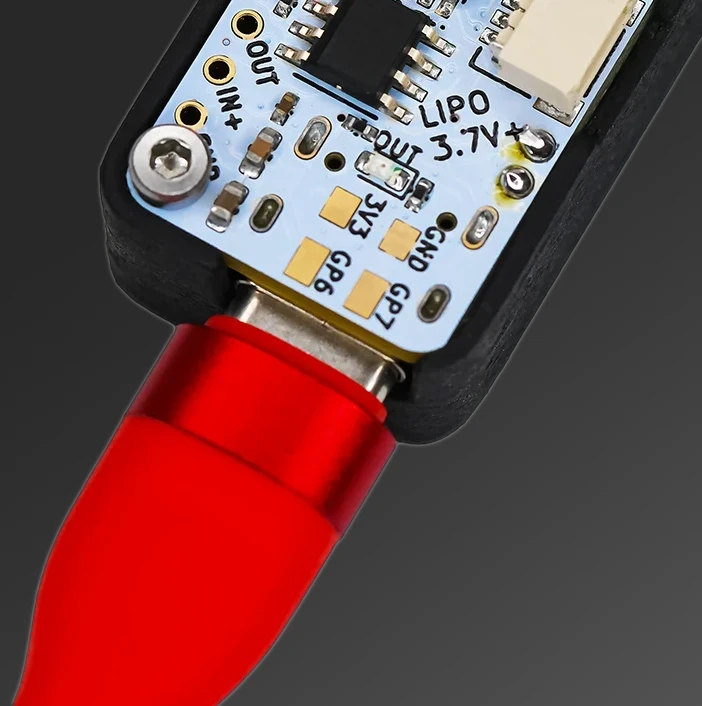
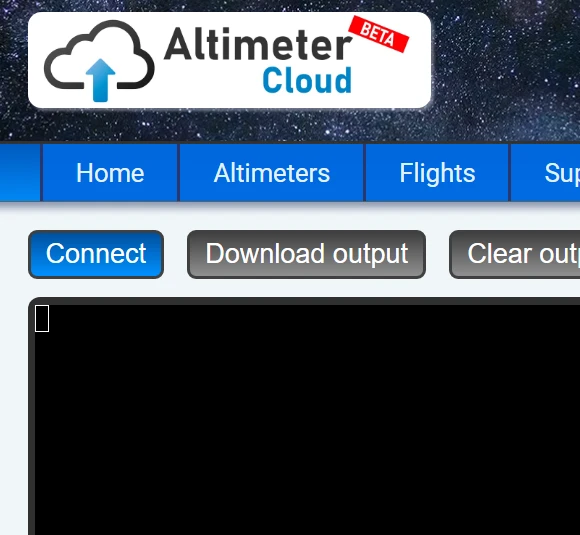
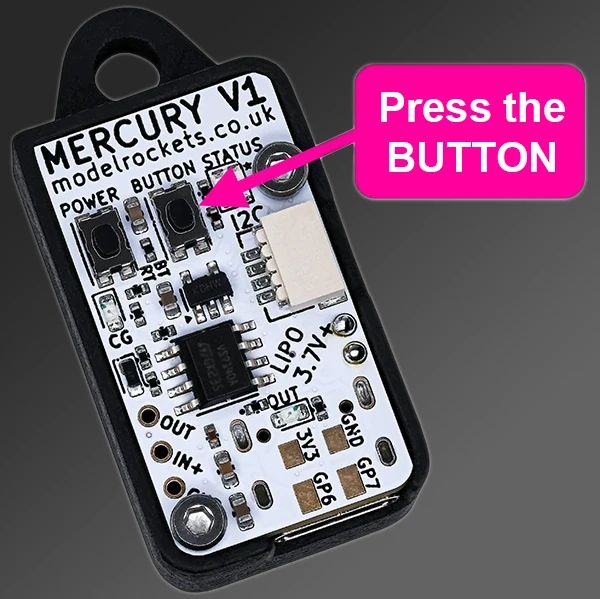
Si su dispositivo está buscando WiFi, el botón no responderá hasta que termine. Espere hasta que el LED STATUS sea azul o verde (no rosa o naranja).
Si tiene problemas después de la primera conexión, actualice la página antes de reconectar.
Online USB serial console in your browser
This tool is a fully in-browser serial console using the Web Serial API. It replaces desktop terminal programs like PuTTY, CoolTerm, Arduino's Serial Monitor, Tera Term and screen, for the common case of reading or talking to a USB serial device without needing to install anything. Typical uses include downloading flight logs from rocket altimeters, debugging Arduino or ESP32 firmware output, reading GPS modules and talking to any microcontroller with a USB serial bridge.
How the Web Serial API works
Modern Chromium-based browsers (Chrome 89+, Edge 89+, Opera 75+) expose the Web Serial API which lets a web page request permission to talk to a USB serial device. When you click Connect the browser shows a device picker listing every serial port the OS has currently enumerated; you select your device, it opens, and bytes flow in and out of a JavaScript stream. The page itself is pure client-side HTML+JS, nothing goes to any server. Your altimeter data, flight log, firmware debug output and commands stay entirely between your browser and the device.
What you need
Browser: Chrome, Edge, Opera or another Chromium-based browser on desktop (Windows, macOS, Linux, ChromeOS) or Android. Firefox and Safari have not shipped Web Serial yet. OS driver: Your USB-to-serial chip needs its driver installed on the operating system. Common chips: CP210x (Silabs, used on many ESP32 boards), CH340/CH341 (cheap clones), FTDI FT232/FT230X, and PL2303 (older). Linux and macOS bundle most drivers; Windows auto-installs them or they come from the chip vendor's site. Once the OS shows the device as a COM port (Windows) or /dev/tty (Linux/macOS), the browser can see it.
Common baud rates
The serial baud rate has to match the device exactly or the output is garbled nonsense. Widely-used rates: 9600 (Arduino default, most altimeters, GPS modules), 115200 (ESP32 default, most modern microcontroller debug output), 57600 (some Arduino bootloaders), 19200, 38400, 4800 (older GPS modules). When in doubt try 9600 first, then 115200.
Reading rocket altimeter data
Most rocketry altimeters download their flight logs via USB serial. Connect the altimeter, set the correct baud rate (check your altimeter's manual; 9600 or 115200 is most common), and issue the manufacturer's download command. The data streams into the console as ASCII or hex; capture it to a file for analysis. Works with Perfectflite StratoLogger, Missileworks RRC3, Eggtimer Apogee series, Altus Metrum TeleMega/TeleMini/EasyMega, Altimeter Cloud Mercury, and any other altimeter that speaks USB serial. For proprietary binary protocols (not plain ASCII), save the captured hex data and decode with the manufacturer's software.
Privacy
Nothing in your serial stream is uploaded. The page runs entirely in your browser and the Web Serial API is a direct connection between the page's JavaScript and the USB driver. You explicitly authorise each device the first time it connects. No account is required to use the console.
Frequently asked questions
What browsers work? Chrome 89+, Edge 89+, Opera 75+ and other Chromium-based browsers. Firefox and Safari do not support Web Serial.
Do I need drivers? The OS driver for your USB-to-serial chip (CP210x, CH340, FTDI, PL2303) must be installed, but no browser plugin is needed.
What baud rate? 9600 for most altimeters, Arduino and GPS; 115200 for ESP32 and most modern microcontrollers. Check your device documentation.
Is my data private? Yes. Nothing is uploaded; the page is pure client-side JavaScript connecting your browser directly to the USB device.
Does it work on mobile? Chrome for Android supports Web Serial on some devices. iOS browsers do not.