The Altimeter Cloud website is the most detailed and feature-rich way to view your flight data. When your Mercury connects to a WiFi network with internet access, it automatically uploads your flights to the cloud. You can then view them from any device with a web browser — phone, tablet, or desktop.
Every flight gets its own dedicated page with charts, statistics, comparisons, and much more. You can also share your flights with others via a direct link.
Getting your data to the cloud
All you need to do is put your altimeter into WiFi mode. You do this by connecting it to a USB-C cable and turning it on. If it sees one of your configured WiFi networks then it will connect and upload any flight logs not yet uploaded to the Altimeter Cloud.
You can find your flights under the My Flights tab. There are loads of extra features to use and you can add further details such as assigning motors, notes, videos, images or even rocket projects on the Altimeter Cloud to your flights.
Please note: All flight pages on the Altimeter Cloud are publicly viewable. Any notes, images, videos, or other information you add to a flight can be seen by anyone with the link. Please do not add personal details such as your address, phone number, or other private information to your flight logs.
Flight summary
Your flight pages include extensive flight information along with the flight chart, including the flight settings you used when you flew to verify your configuration. There are lots of advanced features on the Altimeter Cloud flight charts as well.
Compare flights
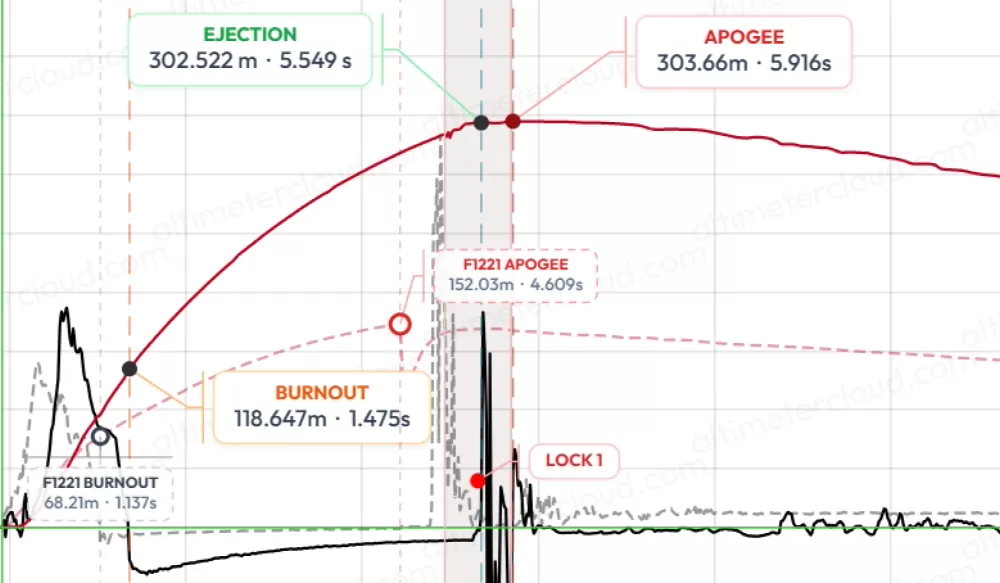

You can overlay two flights to compare them and all the data sets can be viewed for both flights together. This is great for comparing who flew best, or seeing how adjusting your rocket or motors affects your flight.
Adjust for actual temperature and pressure
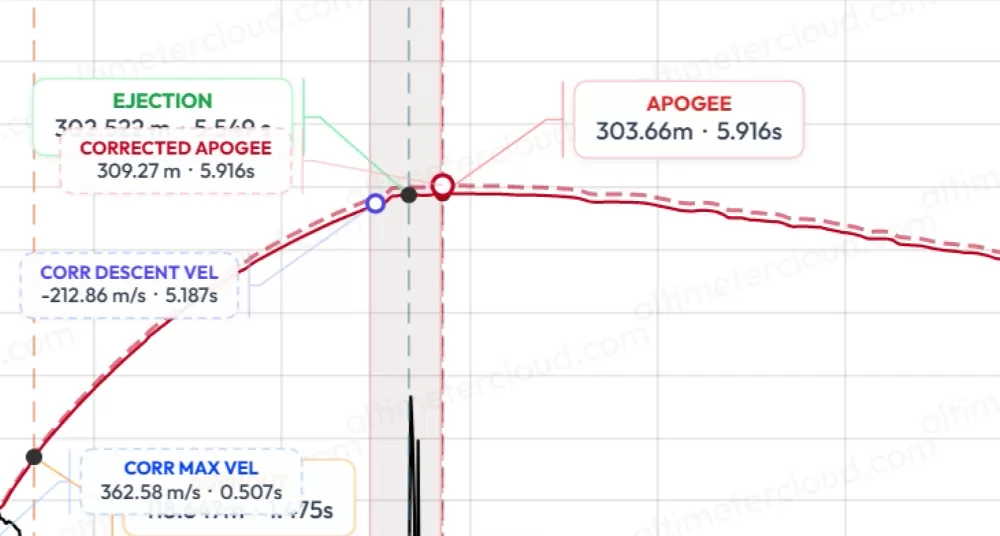

You can enter the exact forecast pressure and temperature after your flight to compare what your actual altitude should be based on this information vs what the altimeter recorded. This allows you to fine tune for the most accurate altitude should you choose to.
Flight animation
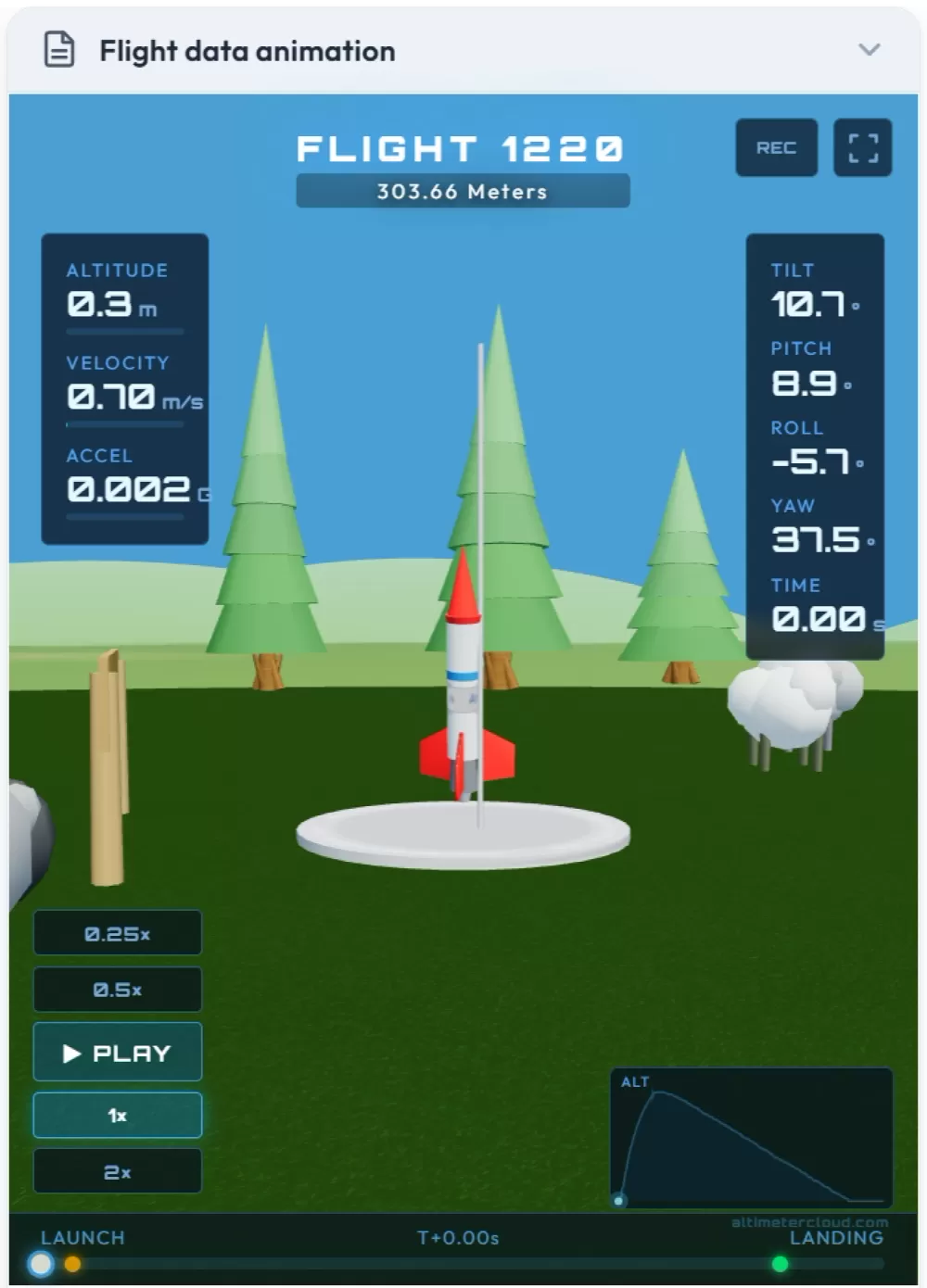
The Altimeter Cloud will also show you an animation of exactly how your rocket flew, with all the data displayed in real time. This is based on the actual logged sensor data, so you will get the best results if you mount your altimeter in a fixed orientation in your rocket and calibrate your sensors.