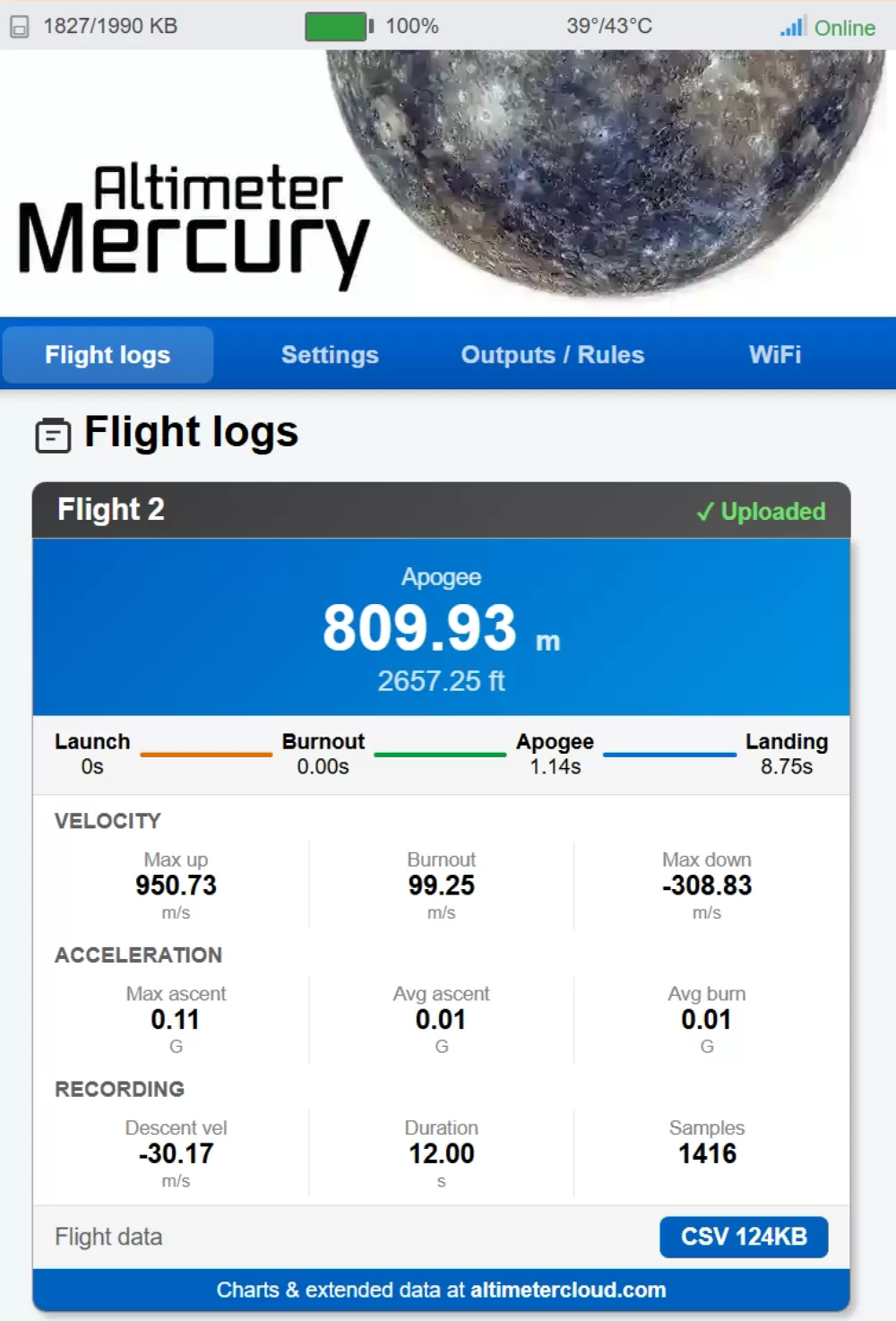
 You can view your flight data directly from the Mercury's built-in web server without needing an internet connection. This is useful at the launch site, in the field, or anywhere you don't have WiFi access. All you need is a phone, tablet, or laptop.
Connecting to your Mercury
First, put your Mercury into WiFi mode and connect to its access point by following the access point WiFi guide. Once connected, open a web browser and go to:
This loads the Mercury's internal web server directly from the device. No internet connection is needed — your phone or laptop is communicating directly with the altimeter over its own WiFi network.
Viewing your flights
The main page shows a list of your recorded flight logs, each with a brief summary including the apogee altitude and flight number. You can scroll through your flights to find the one you're looking for.
For each flight you can view the key summary data and download the raw CSV flight log file. The CSV contains all the recorded sensor data at the full sample rate, which you can open in any spreadsheet application or upload to the Altimeter Cloud later.
What's available on the device
The Mercury's built-in web server is designed to give you quick access to the essentials:
- Flight list with apogee and summary for each flight
- CSV flight log download for each recorded flight
- Device information and current settings
- WiFi configuration
This is ideal for checking your apogee between flights, downloading logs to bring home, or verifying your altimeter is recording correctly before your next launch.
Want more detail?
The device's built-in web server provides the basics, but for the full experience — interactive charts, detailed sensor data across all axes, velocity and acceleration graphs, tilt angles, motor burn analysis, predicted apogee overlays, and much more — you'll want to view your flights on the Altimeter Cloud.
Your flights upload automatically the next time your Mercury connects to a WiFi network with internet access, so you don't need to do anything special. Just plug in at home and your data will be waiting for you.
Tip: If you download CSV files from the device in the field, you can upload them manually to the Altimeter Cloud later using the log uploader tool if your Mercury doesn't have WiFi access at home.