Distance
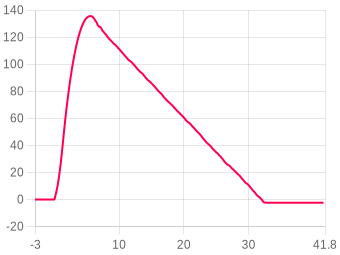
You can choose which units to use for distance from Meters(m), Feet(ft), Miles(mi) & Kilometers(km)
Velocity
You can pick which units to use for Velocity/speed such as Meters per second (m/s), Feet per second (ft/s), Miles per hour (mph) and Kilometers per hour (kph)
Acceleration
You can choose acceleration units to display from either Meters per second squared (m/s^2) or Gravity (G)
Show events
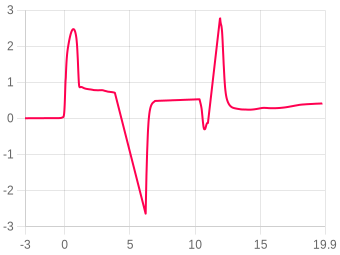
Apogee Burnout Landing Output/Rules Lockouts Velocities Ejection
Download
Adjust temp & pressure ?
Image
Data sets
Click the legend items below the chart to toggle data sets on/off
Zooming
Click and drag, or pinch on mobile
Compare flight ?
Flight summary
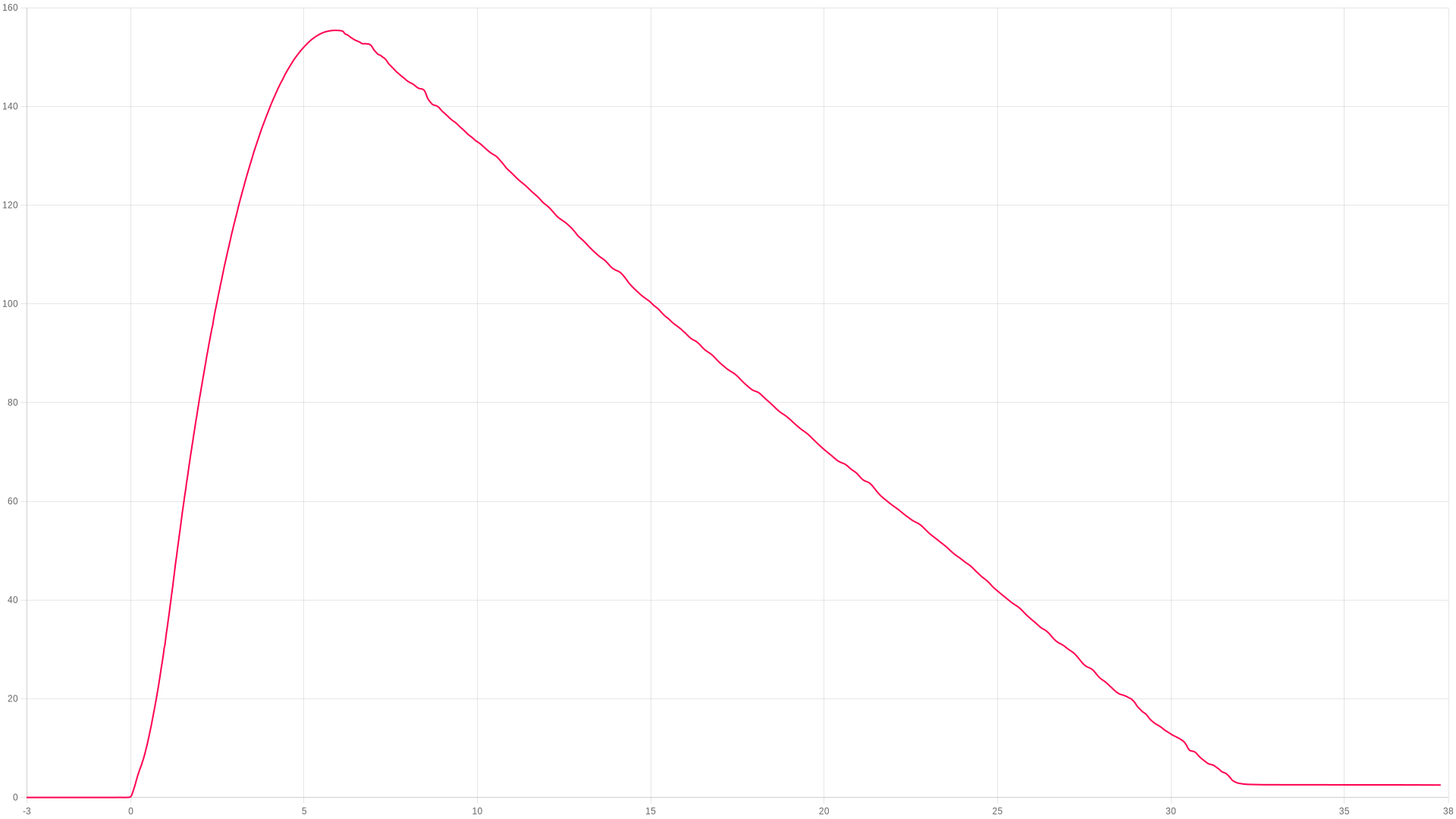
Altitude
Apogee
155.41 Meters
Time to apogee
5.9 seconds
Burnout altitude
0.14 m
Max velocity altitude
44.85 m
Ejection altitude
0.14 m
Landing altitude
2.61 m
Stability
Stability score
0.1 / 100   (Poor)
Stability breakdown
Tilt at burnout (20%)0
Tilt consistency (15%)0
Pitch/yaw rate (30%)0
Damping (20%)0
Thrust straightness (15%)0
Velocity
Max ascent
55.24 m/s
Max descent
0 m/s
At burnout
0.000 m/s
Landing velocity
-5.133 m/s
Descent velocity
-5.754 m/s
Ejection velocity
5.67 m/s
Recovery
Single deploy (no dual deploy detected)
Acceleration
Max ascent
7.1 G
Max descent
27.55 G
Max during burn
7.1 G
Average ascent
0 G
Average burn
1.41 G
Times
Burnout (first)
0 seconds
Apogee
5.9 seconds
Possible ejection
0 seconds
Landing
32.42 seconds
Angles
Launch pad tilt
83.63°
Max tilt to burnout
163.01°
Launch roll
-60.33°
Launch pitch
-77.41°
Max spin (burn)
0 dps
Avg spin (burn)
0 dps
General
Upload date
26/04/26-12:05:36
Data samples
3067
Total recording time
41.581 s
Average samples/s
73.7
Number of lockouts
0
Recording altitude
m
Launch after startup
0s
Reference axis
Battery & temperature
Battery start
100%
Battery end
100%
Temperature start
26.74°C
Temperature end
24.82°C
Flight data animation

FLIGHT 1545

155.41 Meters

ALTITUDE
0.00m
VELOCITY
0.00m/s
ACCEL
0.00G
TILT
0.00°
PITCH
0.00°
ROLL
0.00°
YAW
0.00°
TIME
0.00s
AWAITING LAUNCH
ALT
altimetercloud.com
LAUNCH T+0.00s LANDING

BURNOUT

Motor burn complete

Note: Flight profile animation requires your altimeter to be mounted in a fixed orientation that you choose in your settings. For best results please calibrate your sensors as well.
User notes
Add this device to your account to edit
Youtube video
No video added
Add this device to your account to edit
Flight images (0)
No images added
Linked rocket
No rocket linked to this flight
Device information
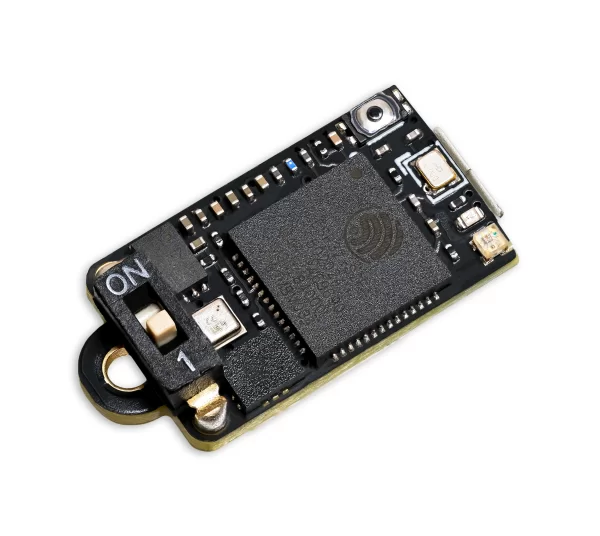
Nano V1
This flight was flown on a Nano V1.
Hardware version
Rev 4
Software version
1.50
Last online
26/04/26-12:05:36
Pressure sensor
Bosch BMP 581
Accelerometer
32G 3-axis
Gyroscope
2000 dgps 3-axis
Flight motors
No motors have been added to this flight
Add this device to your account to edit
Launch site, date & time

Click anywhere on the map to mark your launch site. Switch between map and satellite view using the buttons below.

Click the map to place a marker · Drag to adjust

Lat Lng
✓ Launch location saved successfully.
✗ Could not save location — please try again.
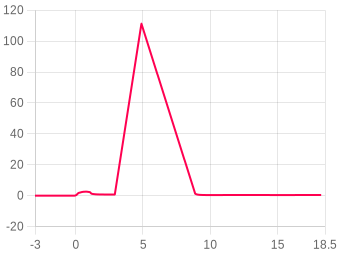
Motor burn
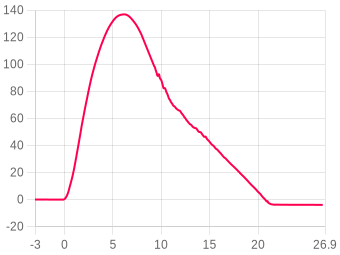
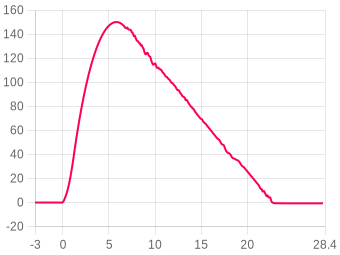
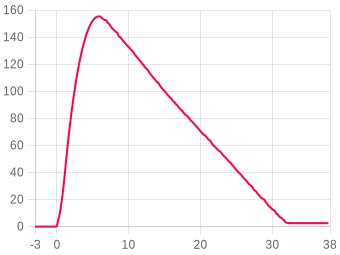
This is the accelerometer output magnitude for the period from launch to burnout. You can check this against your motors thrust data on thrustcurve.org.
General flight settings
This is a snapshot of the settings that were used for this flight. pop over to the pop over to the My devices page and then Configure settings on the device..
Forecast pressure
i
Set this to your local forecast pressure at sea level. This will offer you slightly improved accuracty for your flight, although it's not 100% essential every little helps!

Xcweather.co.uk is a decent place to grab pressures from for your location and time.
1013.2 mbar
Launch detect
i
This is the altitude above the launch pad altitude where the altimeter will trigger itself into recording / flight mode.

The altimeter keeps a constant average of the pressure while waiting for launch, it uses a simple algorithm and the pre-flight buffers to do this. The most recent 120 samples (~4 seconds) are ignored so your pre-trigger altitude won't effect the ground baseline.

For almost all uses we suggest keeping this on the 25 Meter (~82 feet) default settings. If you want to test your altimeter by throwing it in the air, or are planning a very low flight you may want to lower the setting.
30 meters
Sample ratio
i
The altimeter runs at 50Hz however you can record every sample or every X samples in order to extend the log time. For example if you set the ratio to 1 it will save 1:1 samples, or if you set it to 3 it will save 1 in 3 samples.
1:1 (50Hz)
Max samples
i
This is the maximum samples the altimeter will log per flight. When it reaches this amount it will stop and save the recording.
24000
Recording stop
i
This setting is how the altimeter decides to stop recording. You can choose either 300 or 600 samples stable or it will record until it's 10000 sample limit unless you press the BUTTON in Manual stop mode.

The samples stable method waits for the devices altitude not to change for the set number of samples. This is defined by not changing by more than +/- 1.0 meters for 98% of the samples, it's a reliable method to stop the recording after landing within 8-10 seconds (300 sample) or 16-20 seconds (600 sample).
Auto: 300 samples stable
Oversampling
i
Oversampling is a internal setting of the BMP 390 pressure sensor. It is how many samples are taken for each reading. By taking multiple samples for each pressure reading the altimeter reduces noise and increases the resolution of the output.

The sensor can run at 50 samples per second in 4X mode, so we suggest leaving it in this mode as it will offer the highest accuracy.
16x Oversampling
IIR filter
i
The IIR filter is another internal sensor for the BMP390 pressure sensor. It is a Infinite impulse response filter used to enhance pressure measurement accuracy by reducing noise. It's primarily for smoothing out rapid pressure changes.

We suggest not setting this too high as it will cause delay to changes in altitude if set very high.
COEFF 7
Pressure filter
i
This filter is a software Kalman filter that runs on the altimeters processor.

The Kalman filter uses a prediction step based on a system model and then a correction step using new measurements to refine its estimate, it creates accurate most certain results from data with noise in it.
Kalman 1 (less)
Sample speed
i
The sample rate of the altimeter's sensors. 50Hz takes 50 samples per second, 100Hz takes 100 samples per second for higher resolution data.
100 Hz
Hybrid mode
i
When enabled, the altimeter records at full speed during ascent then switches to half speed after apogee to extend recording time during descent.
Disabled
Sync sensors
i
The filters on the pressure sensor can cause it to lag very slightly behind the Accelerometer and Gyroscope data. The Sync sensors option detects how far out of sync these sensors are. It then corrects the Acceleration and Gyroscope readings to match the pressure sensor.
ENABLED
Orientation
i
This is the orientation you intend to install the Altimeter in your rocket. It's needed to ensure completly accurate angles and orientation charts and reports. Check out the Manual for more information on this.
Down (text up)
IMU filter
i
The IMU filter, or fusion filter takes the data from each axis of the Gyroscope and Accelerometer to calculate the Pitch, Roll, Yaw and tilt angle from vertical. These filters can build up some discrepency over time so it's important to calibrate your sensors to minimise this.
Madgwick 6-Axis
Launch ALP
i
This is prevention against accidental launch detection.

With this disabled the launch is based only on pressure and something that creates a low pressure can trigger the flight by accident. For example pulling your nose cone off can even trigger it.

With this enabled the rocket also needs to have seen 8 samples (0.25 seconds) of acceleration above this setting in the last 3 seconds as well as the pressure drop to trigger. There is a backup trigger of 1.05 seconds of altitude being above the launch detect setting too.

There are very few situations where this option would cause issues, so we suggest leaving it on.
Launch lock
i
When enabled, the altimeter locks out recording for a set period after power on to prevent false triggering during setup.
DISABLED
Static temperature
i
A fixed temperature value used for altitude calculation when the external temperature sensor is disabled or not connected.
15 °C
Sensor calibration
Calibration offsets used during this flight.
Gyroscope
⚠ Gyroscope has not been calibrated
X
0.000°
Y
0.000°
Z
0.000°
Accelerometer
⚠ Accelerometer has not been calibrated
X
0.000 mG
Y
0.000 mG
Z
0.000 mG
Flight
Comments
Comments
Sign in to leave a comment.