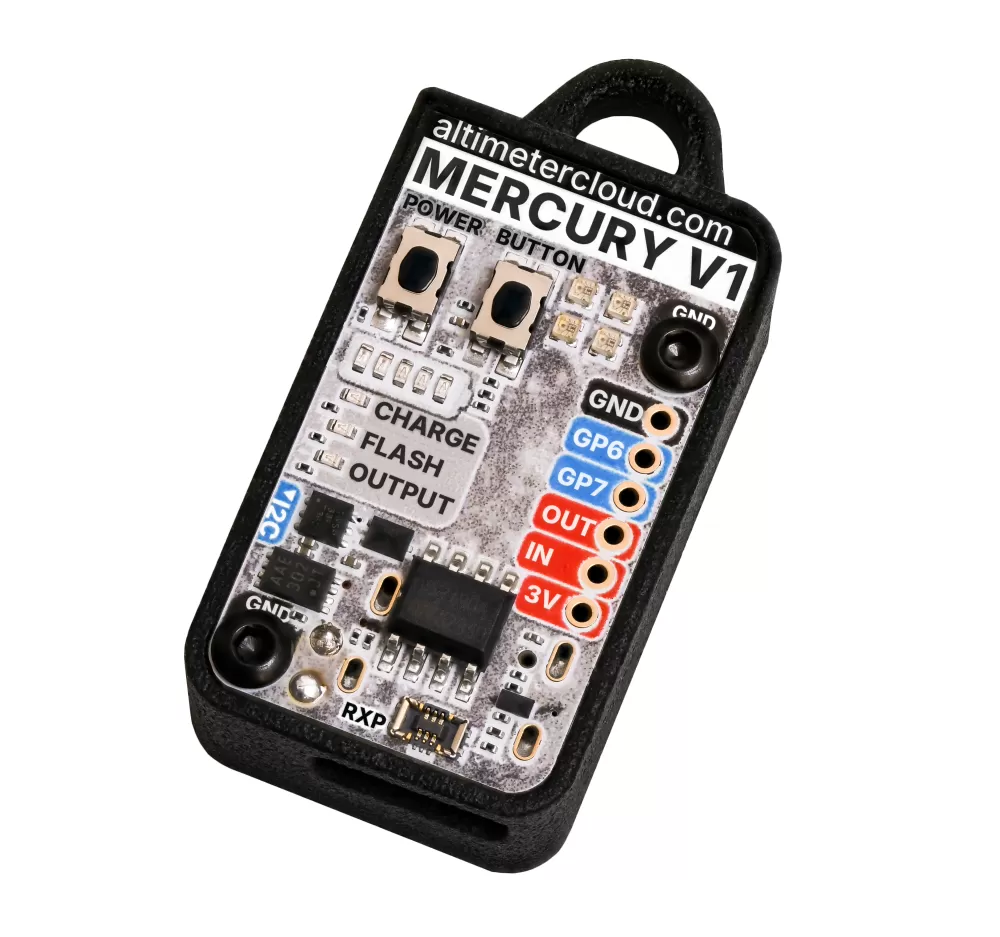
 The Mercury V1 altimeter
The Mercury is a small, smart altimeter that easily fits in rockets from 18mm diameter.
In it's default case you'll need a rocket tube of around 22mm but once removed from it's case and used either on it's own or with the electronics bay mount it will fit comfortably in 18mm diameter tubes.
It's also extremly easy to use, to log a flight at 100 Hz all you need to do is turn it on and put it in your rocket.
The Mercury can sit on the pad waiting for launch for up to 7 hours without running out of power.
You don't need to worry about all the advanced features for your standard rocket flights either, although there are plenty of advanced options for those that need it.
Suitable for both quick and easy flying for data and for advanced projects as well.
As it has a included internal rechargeable battery you don't need to worry about a power source for this flight computer. If you do need to top up the charge, a short USB-C cable is included to charge it from your phone in the field. A full charge will typically only use around 1%-2% of your phone's battery.
Designed and developed in house right here at Altimetercloud.com to be a great additional component in your next rocket.
The altimeter is ready to fly with all the default settings uploaded already so all you really need to do is turn it on and you are set for flight. There are also plenty of advanced settings should you want to fine tune your altimeter or use it for a not quite standard project.
You are able to update firmware on the altimeter cloud website in just a few clicks too when it's released!
The Mercury is a capable altimeter which offers you tons of detail about your rocketry flights. It will fly reliably to 9200 meters (30,000 ft) altitude before the pressure sensor exceeds it's specifications. Although it will go beyond this of course but with unknown tolerances.
The addition of a great accelerometer and gyroscope for each axis lets the altimeter calculate and detect additional flight events such as motor burn out, deployment events and fine tuning of the landing time.
It also lets us calculate flight angles such as tilt from vertical, pitch, roll and yaw to let you see how straight your rocket flew. You can even use the gyroscope data to see how aligned you got your fins by it's rotation speed.
The Mercury altimeter also supports servos, a high current output channel, external sensors, advanced custom rules and even air brakes.
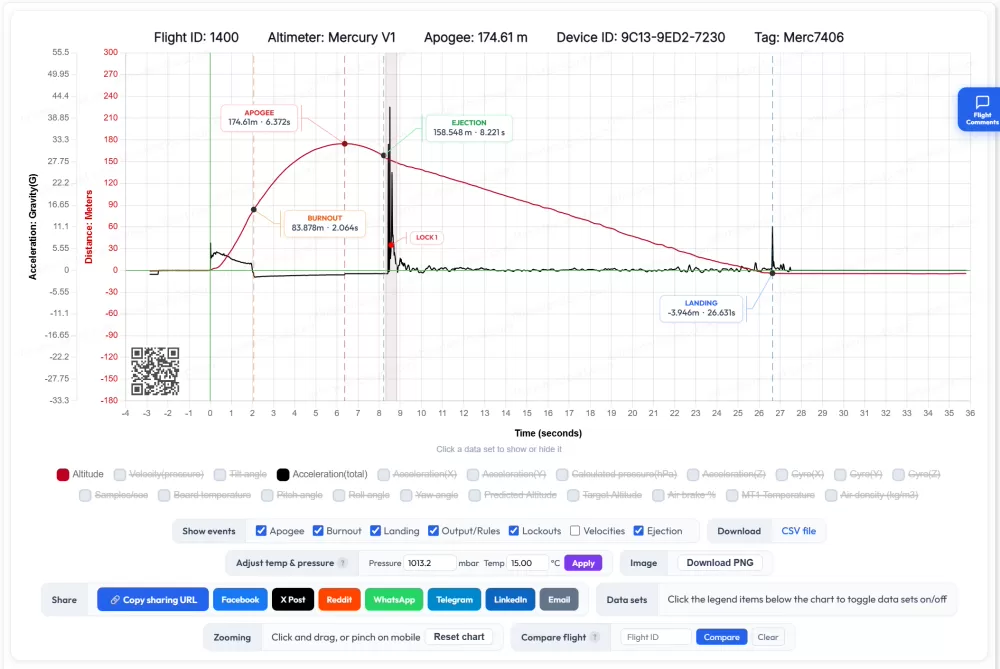
No hassle charts and data
The Mercury works with our Altimeter Cloud system.
Just configure it to connect to your WiFi network or mobile phone hotspot and it will upload your flights automatically when put into WiFi mode.
There are no storage limits or flight expiry times on the Altimeter Cloud and you can see all available data.
Furthermore you can even adjust your flights for the actual pressure and temperature on the day to see fine tuned totally accurate altitudes.
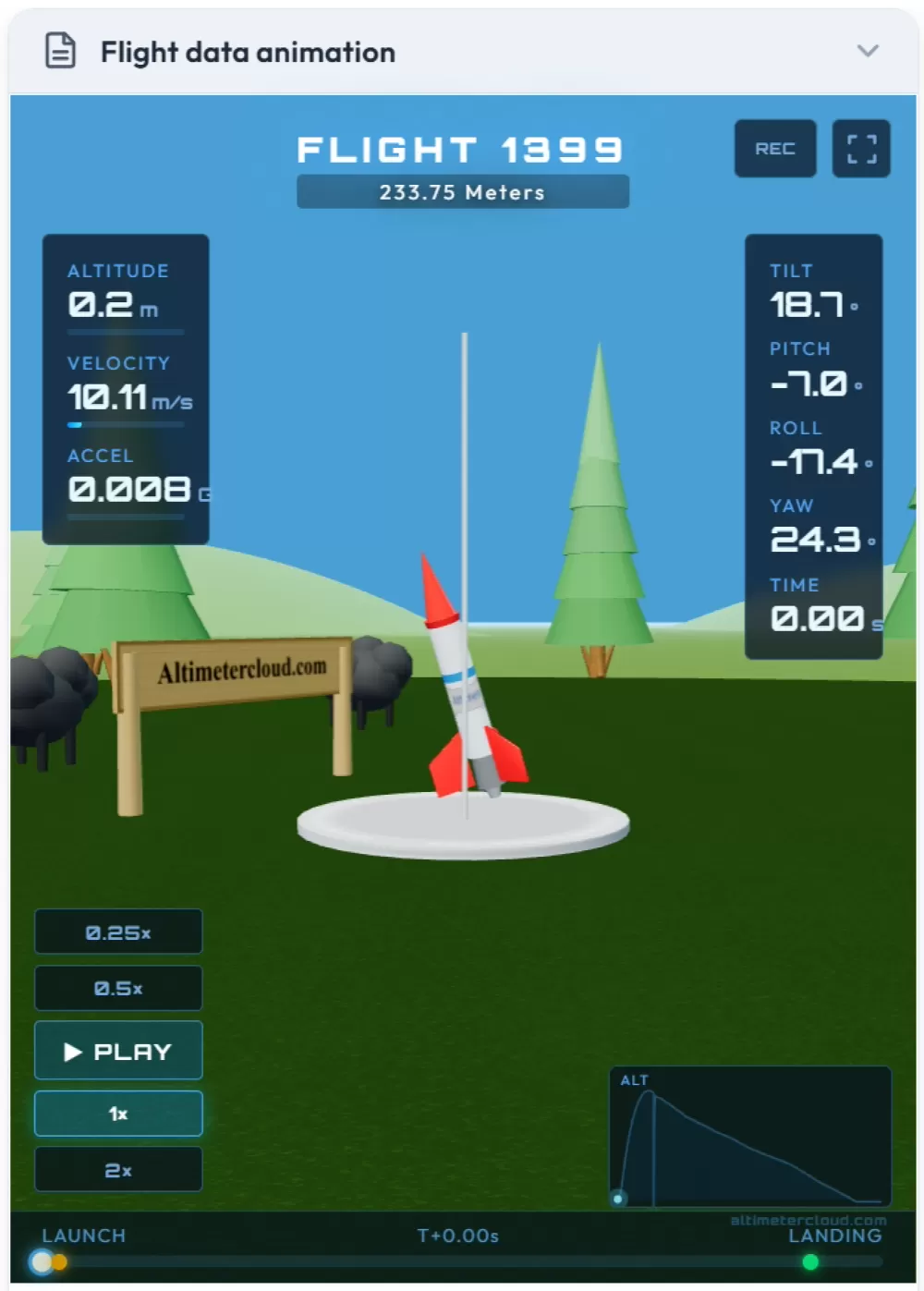
Accurate flight animations
The Mercury renders an animation of your flight on the Altimeter Cloud based on the actual sensor data.
Check out your rockets stability and flight profile in realistic terms.
You can also adjust your flight for actual launch conditions and download adjusted flight logs if required.
High quality sensors
Don't let the small size fool you!
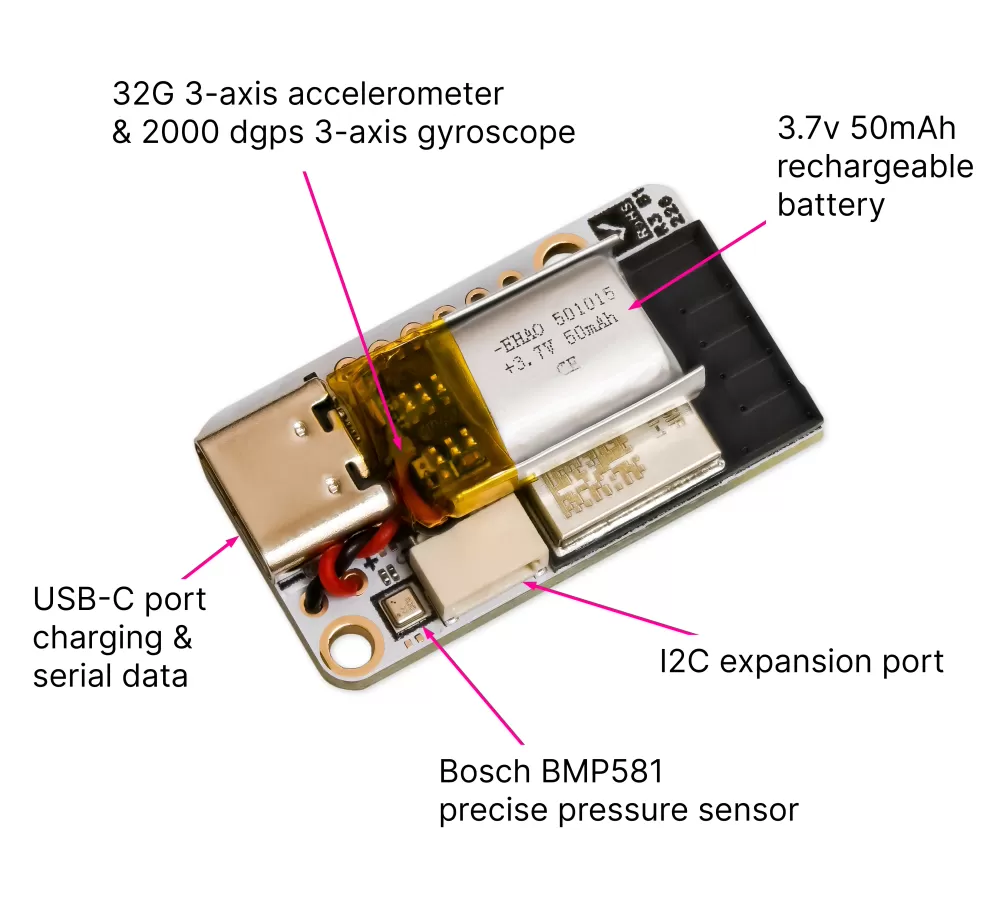
The Mercury altimeter has high quality sensors to enable it to function as it does.
The main pressure sensor is a Bosch BMP 581 (BMP 390 on revision 1 & 2) which offers incredible sensitivity and resolution. If you place a mercury on the floor, throw it in the air and let it land on your desk it should give you your desks height to within just a few centimeters or better.
The 3-axis 32G accelerometer and 3-axis 2000 dgps gyroscope from ST Microelectronics also offers incredible precision. Once calibrated these 6 axis are fused to generate the angular position of your rocket during it's flight.
The onboard 160Mhz CPU allows us to process the sensors data at high accuracy and with more complexity than many other altimeters.
Internal WiFi & Webserver
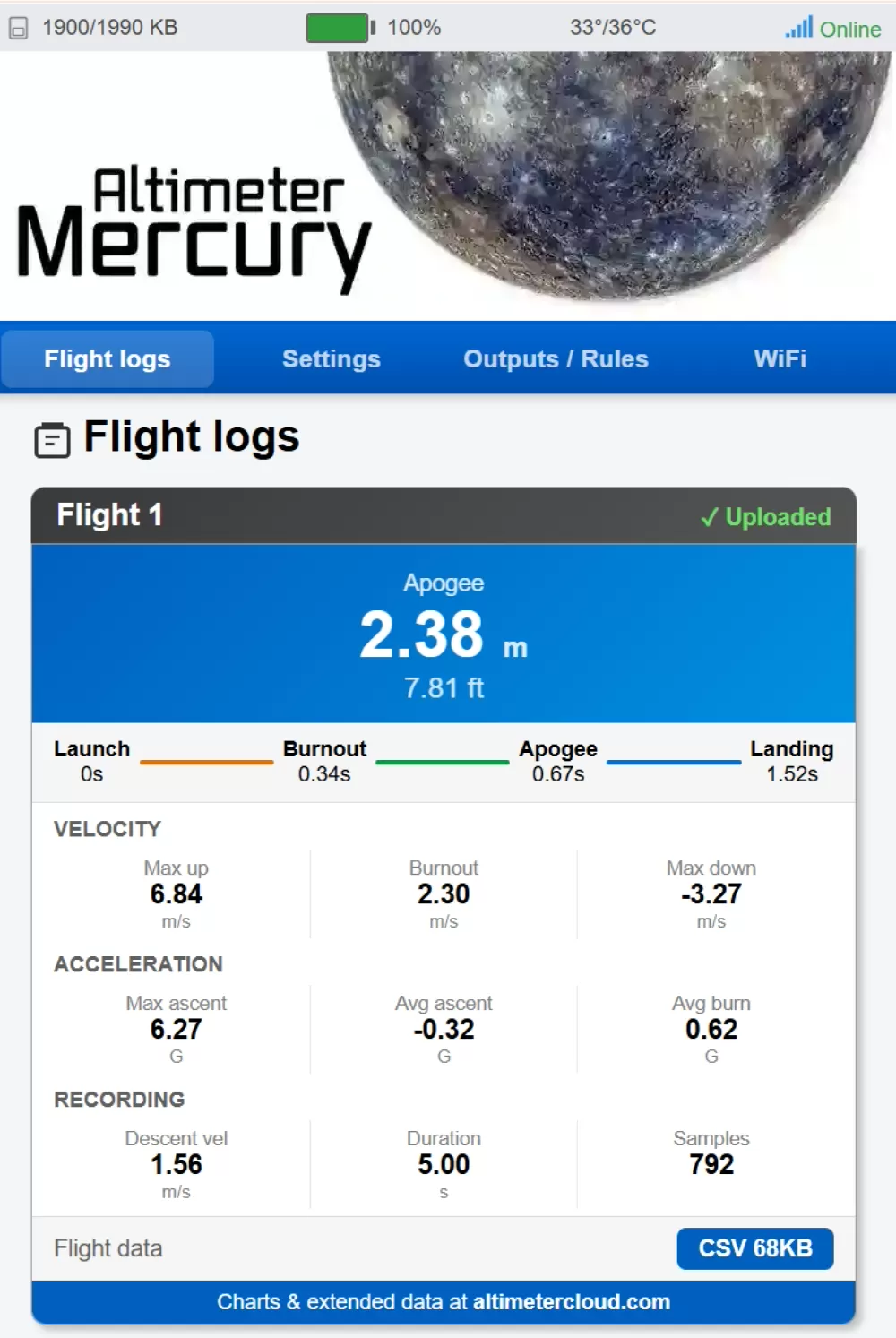
If you don't have internet at your launch site, or don't want to use the Altimeter Cloud, the Mercury has a internal web server that you can connect to via it's access point WiFi.
This lets you view basic details about your flights, download flight logs and configure all settings with ease.
It's also one of the many ways you can configure your WiFi networks for full operation online.
Configure from the Altimeter Cloud
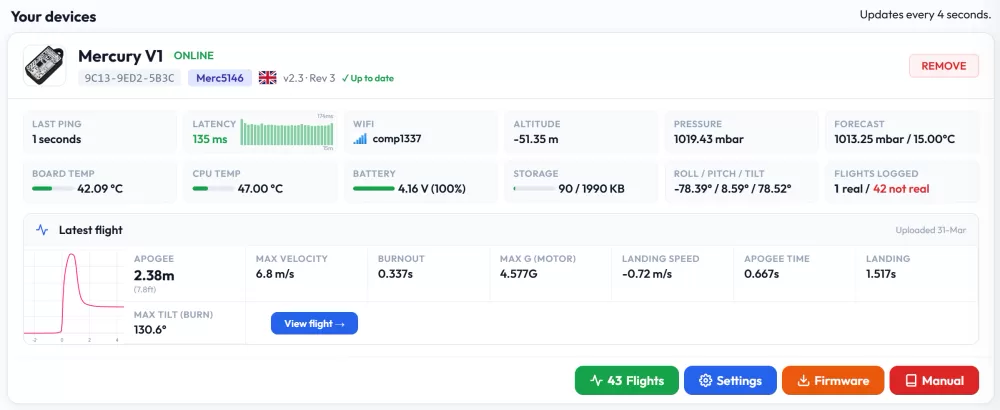
You can configure all your settings with ease including handy descritions of what each setting does from the Altimeter cloud website.
All you have to do is use one of the easy ways to setup your WiFi networks on the Mercury, and it will then connect to the internet whenever it has a USB cable connected and is turned on.
Extended flight log details, charts and configuration can all then be performed from your PC, laptop or phone on the Altimeter Cloud hassle free.
The website also lets you keep your firmware up to date and offers plenty of addtional rocketry and flight tools.
Data logging & Charts
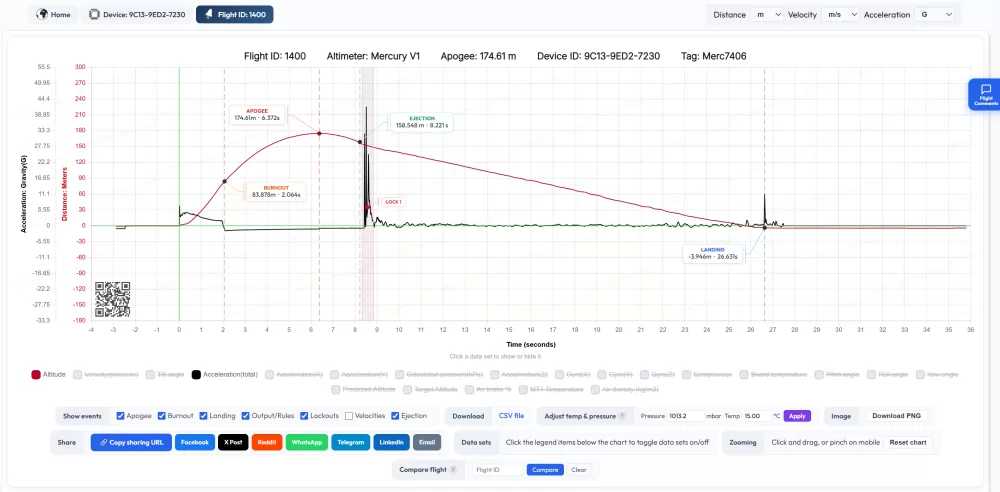
The Mercury logs data at up to 100 samples per second offering you a detailed insight into your flight.
Data such as flight time, altitude, velocity, acceleration magnitude as well as all 3 axis, tilt from vertical, roll, pitch & yaw angles, gyroscope data from all 3 axis, temperature, pressure, air density, predicted apogee and air brake output are all logged for charts.
Flight events such as launch, apogee, burnout, ejection, landing and all output and rule triggers and end points are also all logged.
Flight summaries and charts offer extensive details and can be shared and accessed anywhere in the world via the Altimeter Cloud.
The Altimeter Cloud also offers the ability to compare flights on one chart and adjust a flight for the real atmospheric pressure and temperature to fine tune the altitude calculations post flight should you need absolute accuracy.
Prediction and Correction filters
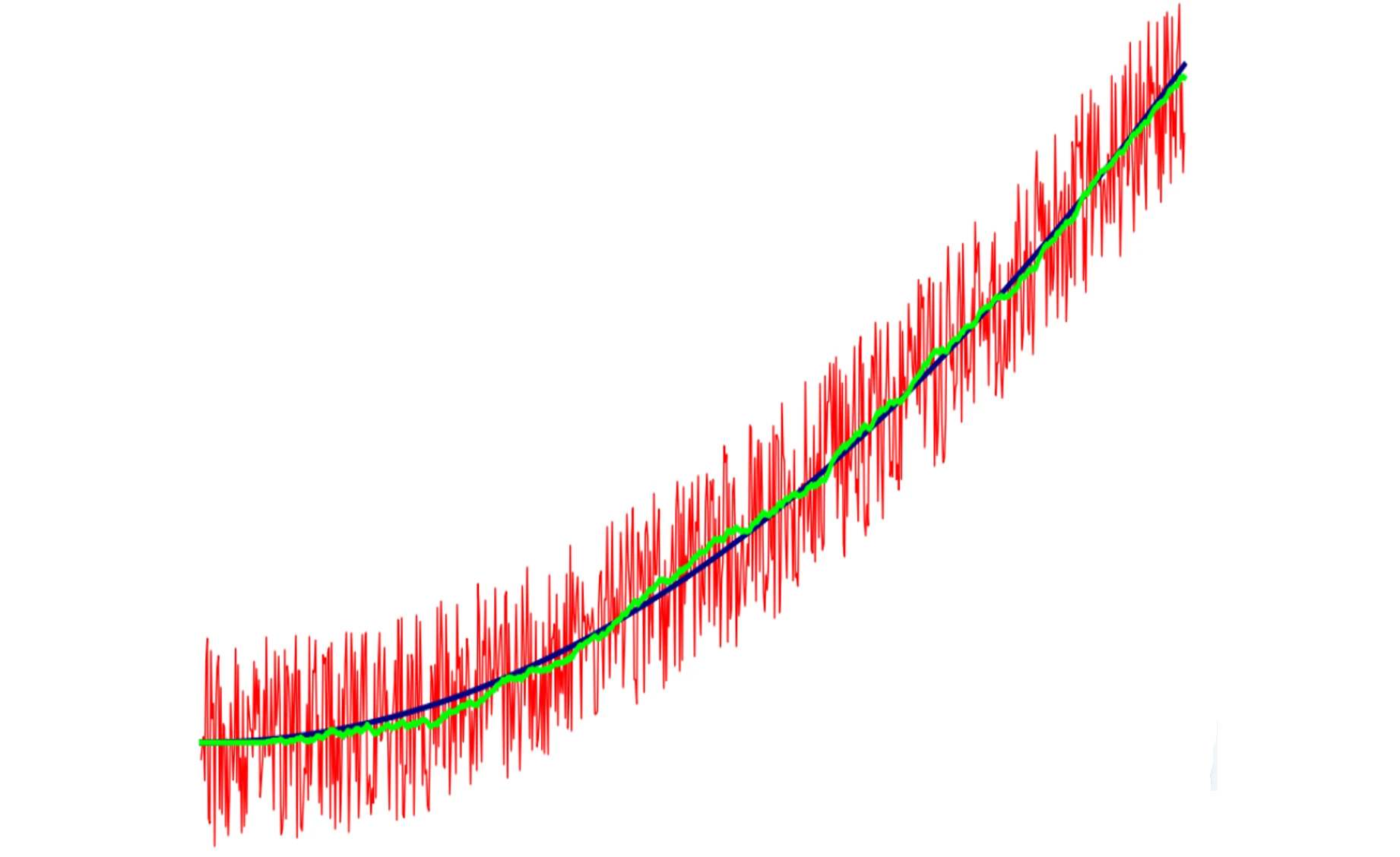
We apply both Kalman and Madgwick filters to remove noise and reveal better true flight data and rocket angles during flight.
The Kalman filter works to improve the altitude and velocity calculations by fusing estimates of future states with the real sensor data coming in. This helps to remove any excessive noise in the pressure sensor data caused by flight events..
The Madgwick filter fuses the accelerometer and gyroscope data creating accurate orientation information for the Mercury (and your rocket when mounted securly therefore).
There is also a predicted apogee algorithm that can be used in rules to make decisions about servos, recording or outputs as well.
Extreme pressure noise can be configured to trigger a lockout state where the altimeter will refrain from making decisions about rules and velocity and interpolate the start to end points in your data. This is useful for ignoring the noise from ejection charges if the altimeter is exposed to them and supersonic flight transitions amongst others.
You can use it as a development board
If you want to have a go at programming your own altimeter, or use the Mercury for a different function then you can.
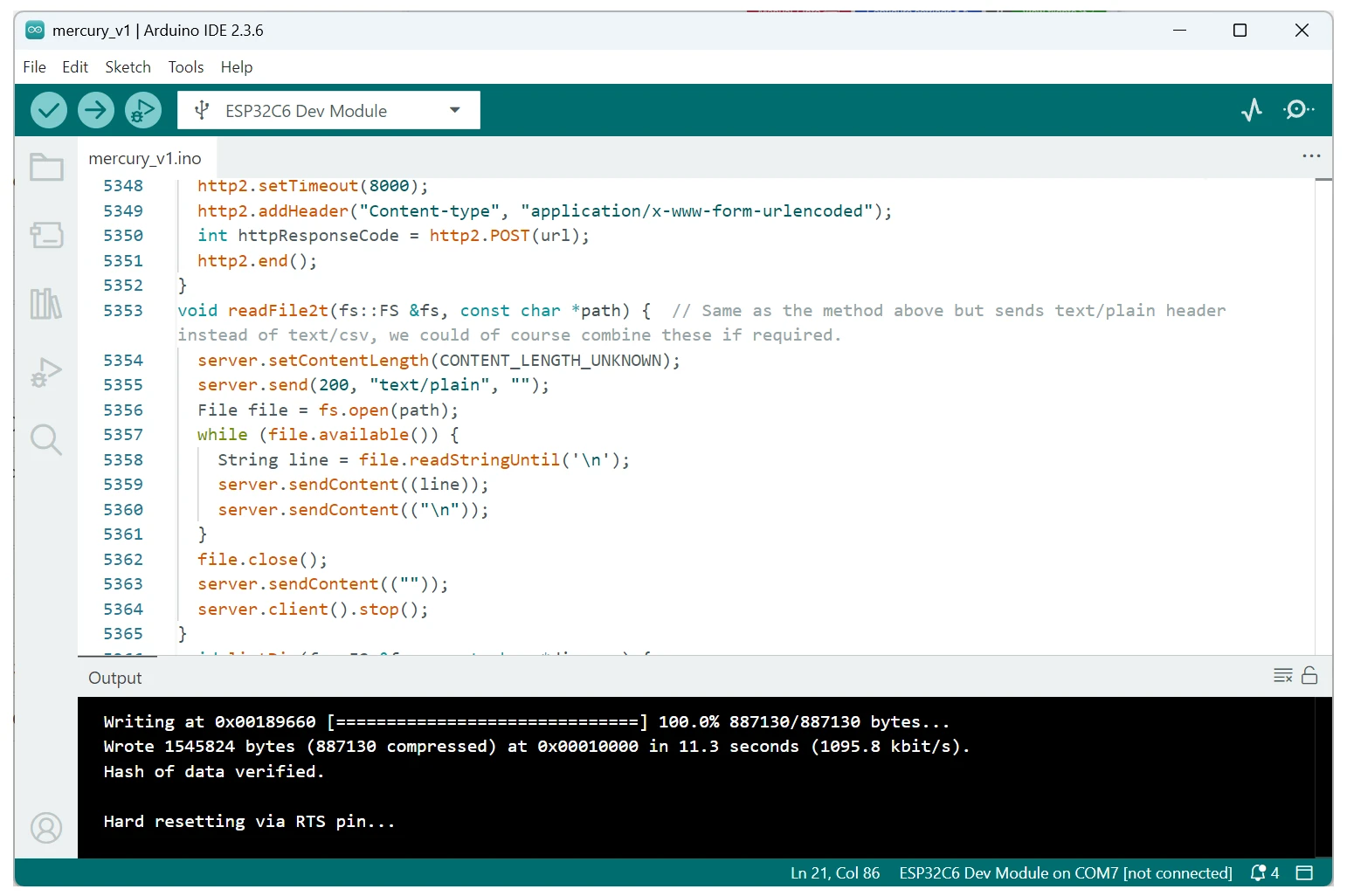
The Mercury can be programmed yourself using Arduino IDE or ESP IDF applications. We've included some example Arduino IDE code in the manual and the Schematic to get you started.
Of course you can always put our firmware back on in just a few clicks using our firmware tool on the Altimeter cloud website, so you don't need to worry about ruining it's primary function.
Do check where you are flying allows custom flight computers if you are intending this of course.
Lots of expansion and outputs
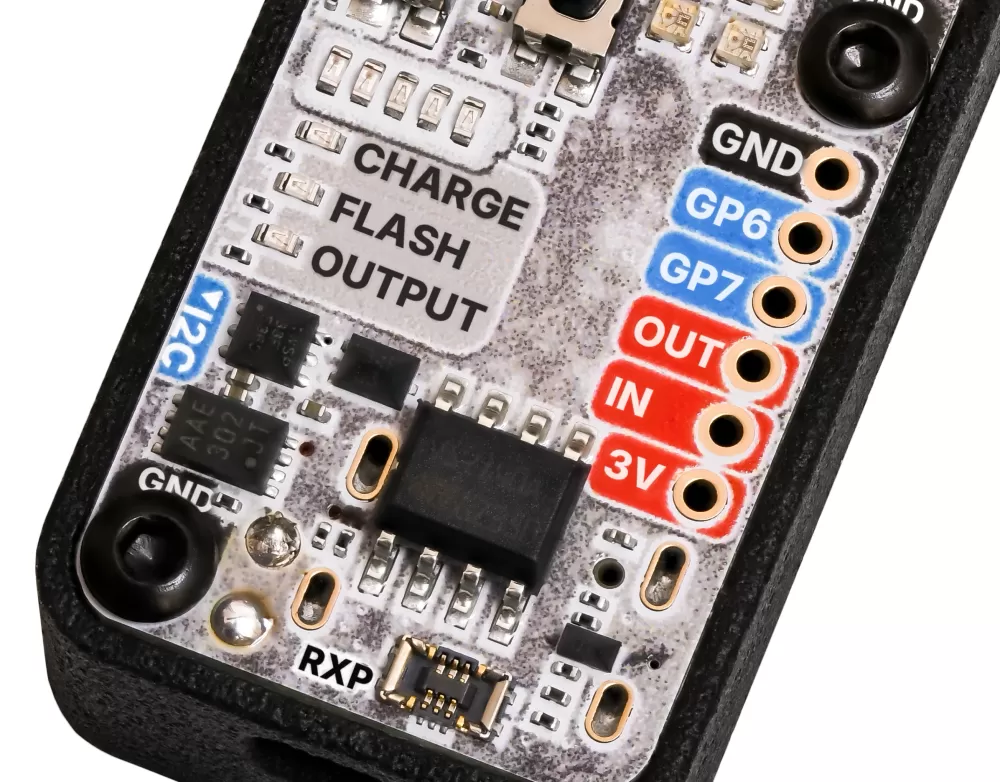
The Mercury has a onboard high current output that can be used with an external battery to fire igniters or power other high power functions.
It also has two GP ports that can be configured as general purpose low current outputs, Servo signal outputs or even flight data streaming as a UART port.
The Mercury also has a handy I2C expansion port and its firmware can speak to servo expansion boards, additional high current output boards and temperature sensors by default. We produce many of these ourselves as accessories but it will also work with several third party boards as well.
There is also a mini RXP port that allows you to connect with both the two GP ports and the I2C ports via custom screw down header boards.
There is no rush to launch!
Our altimeter has a 6-7 hour battery life on the pad in efficiency mode 1 and 8-10 hours in efficiency mode 2 while sitting on the launch pad waiting to go.
It also continously updates it's ground / launch pad pressure reference point while waiting so you're not locked to the pressure when you turned it on. This ensures your altitude will be accurate regardless of if you launch 2 minutes from power up or 6 hours from power up.
Accidental launch protection requires both acceleration and pressure change to trigger launch preventing the altimeter from triggering accidentally while waiting.

Servo & air brake support
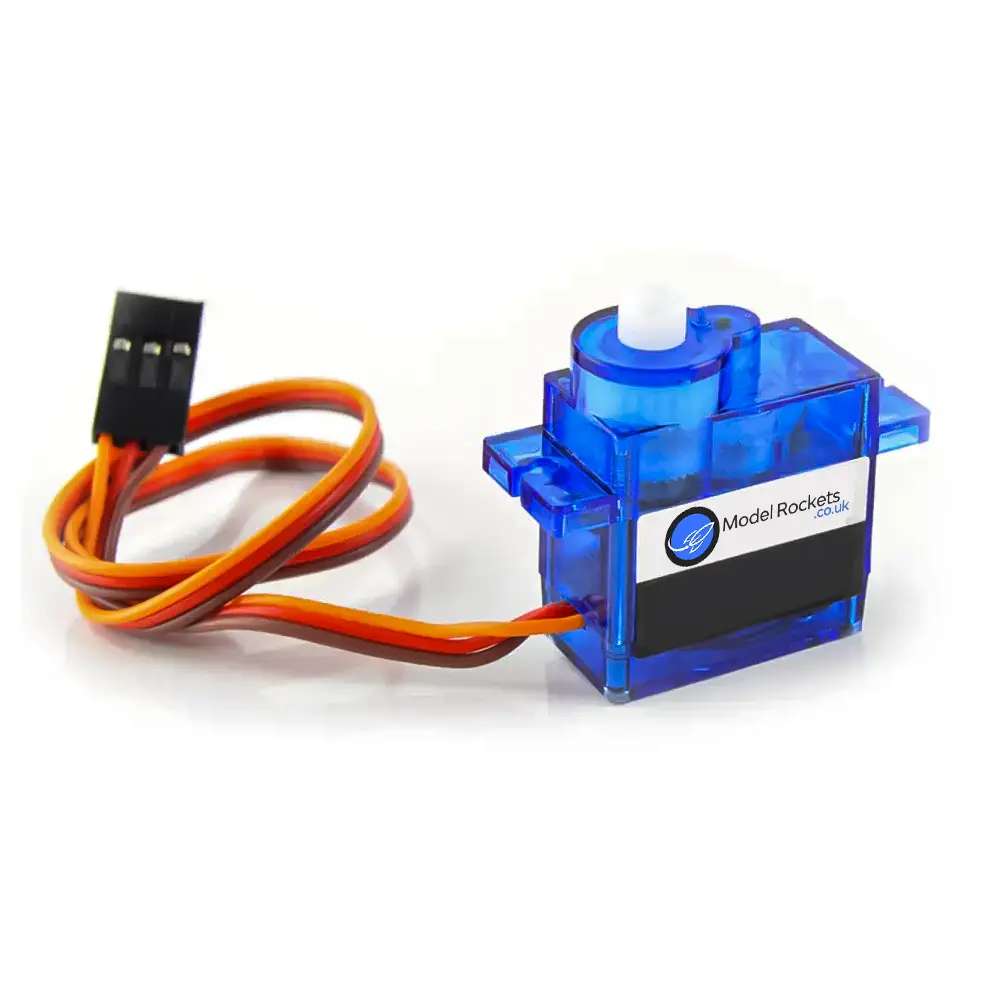
The Mercury can control servos from it's onboard GP pins or from external servo boards.
We make a servo board accessory with an accurate CMOS clock to enable precise signal generation.
You can use servos for all sorts of tasks from ejection systems to deploying air brakes. This can all be controlled from the internal air brakes system or rules configuration system.
Custom rules
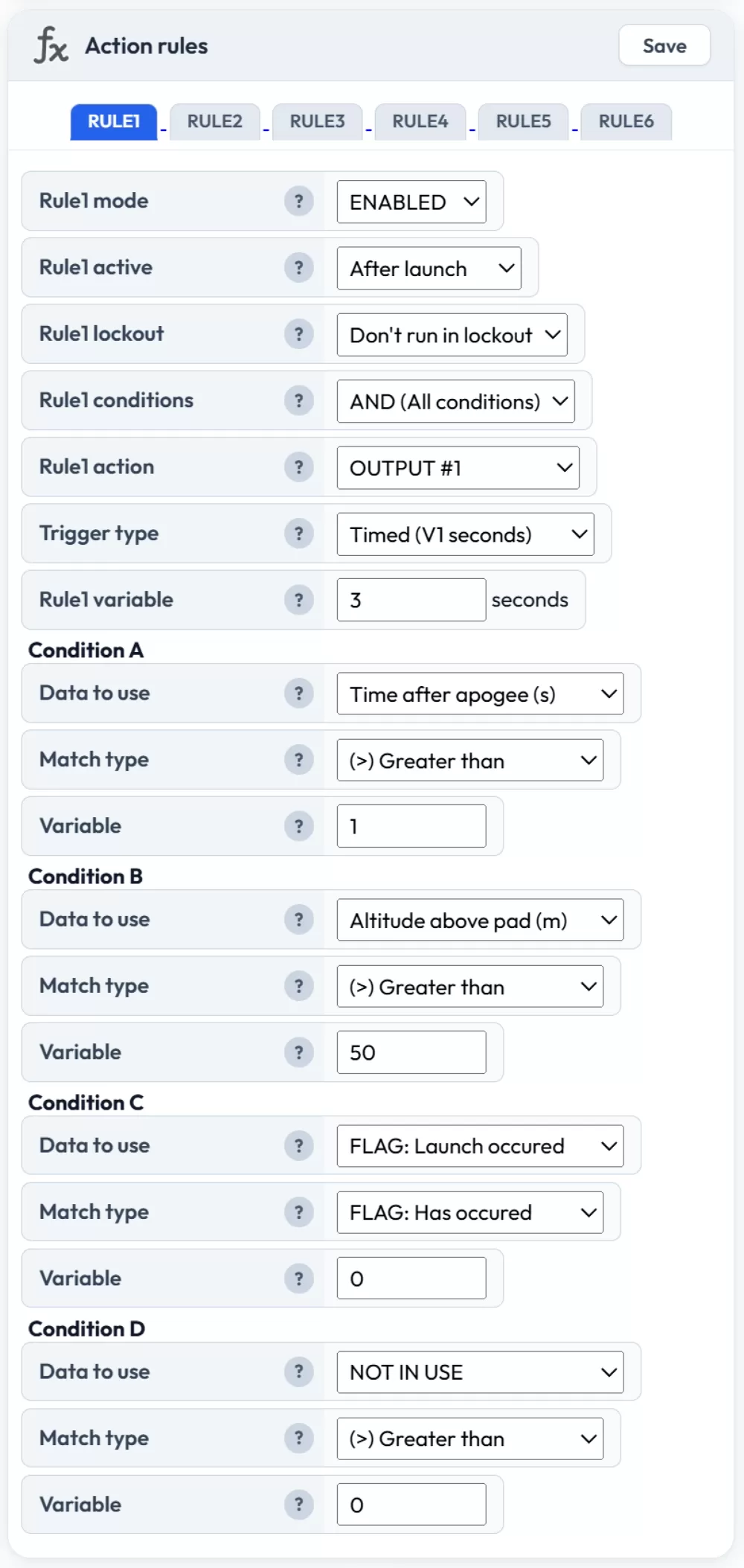
Our "Action rules" system lets you create up to 6 custom rules on your Mercury. They are analysed 100 times per second and triggered when your configured conditions are met.
You can control all outputs, servos or change flight configuration settings as needed when rules are triggered.
It's logical and easy to understand and configure too.
The example on the right shows how you can configure the output to fire 1 second after apogee with protection logic that it must be at least 50 meters above the pad and launch must have occured before it can trigger.
Snapshot screen & serial data
The Mercury can show you a snapshot of your most recent flight via our Snapshot screen along with some basic charts and device information.
You can also retrieve this information via the USB port using a serial terminal.
This is great for competitions that need to read lots of altimeters or just a quick and easy check in the field.
Don't forget you can always setup your mobile hotspot too to let your Mercury upload flights to the Altimeter Cloud in the field and view the full data too!