The Altimeter Cloud website lets you manage your devices and the flights associated with each one, and view your flight logs in detail. It can also verify that a flight log is genuine and unedited: even if a log is emailed to you long after the flight, you can still confirm it has not been altered.
Adding your device to your account
You do not need an account to upload a Nano flight: any genuine, unedited log can be uploaded and verified. Adding the Nano to your account is what ties its flights to you. Its flights then appear under your flights, and only accounts the Nano has been added to can edit its flight pages to add photos, videos, notes and motors. You need the Nano itself to add it, because the verification key comes from the device, and the same Nano can be added to more than one account if several of you fly it.
To add a Nano to your Altimeter Cloud account, sign in and open the My Devices page.
In the Add a device box, type your serial number and choose Nano V1 as the altimeter type. (The note in that box about WiFi applies to the Mercury; the Nano does not need it.)
You can find your serial number and verification key in the device_information.html file in the USB drive folder for your Nano. To grab this file, just connect your Nano with a USB cable to a PC, laptop or other smart device to access the files.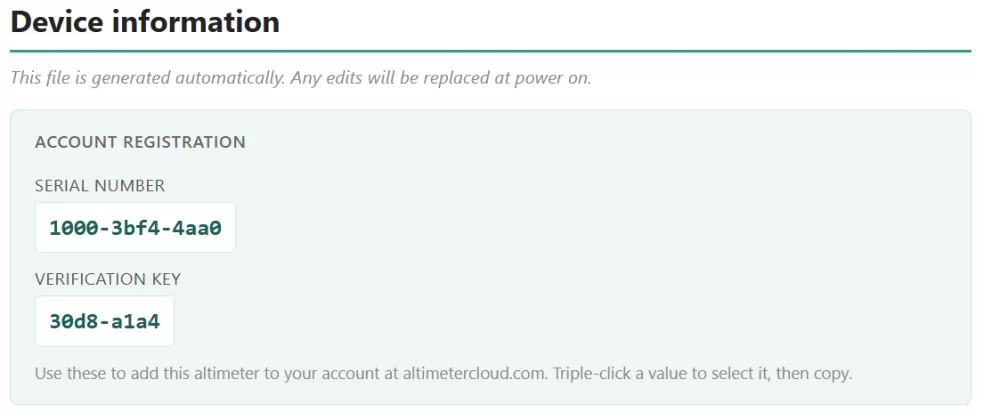
Example information in the device_information.html file.
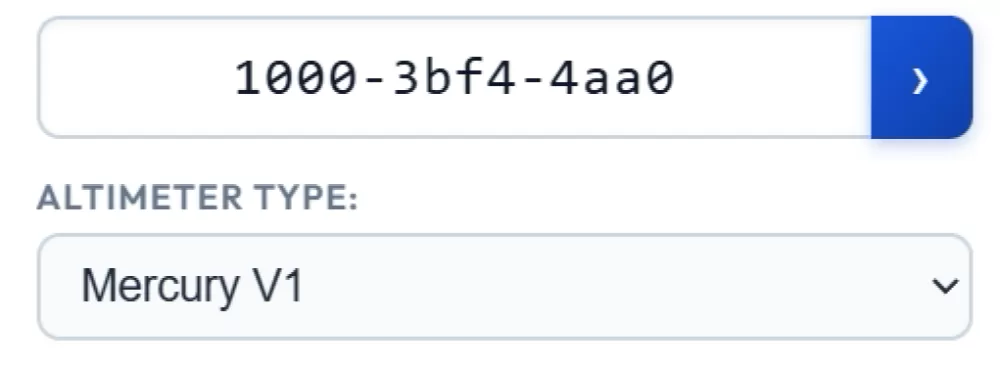
Example data entered in the Add a device section of the My Devices page.
Then click the arrow button at the end of the serial number box. On the next page you will be asked to enter your verification key.
Once you do this, the Nano will be added and will appear in your list of devices.
Uploading flight logs to the Altimeter Cloud
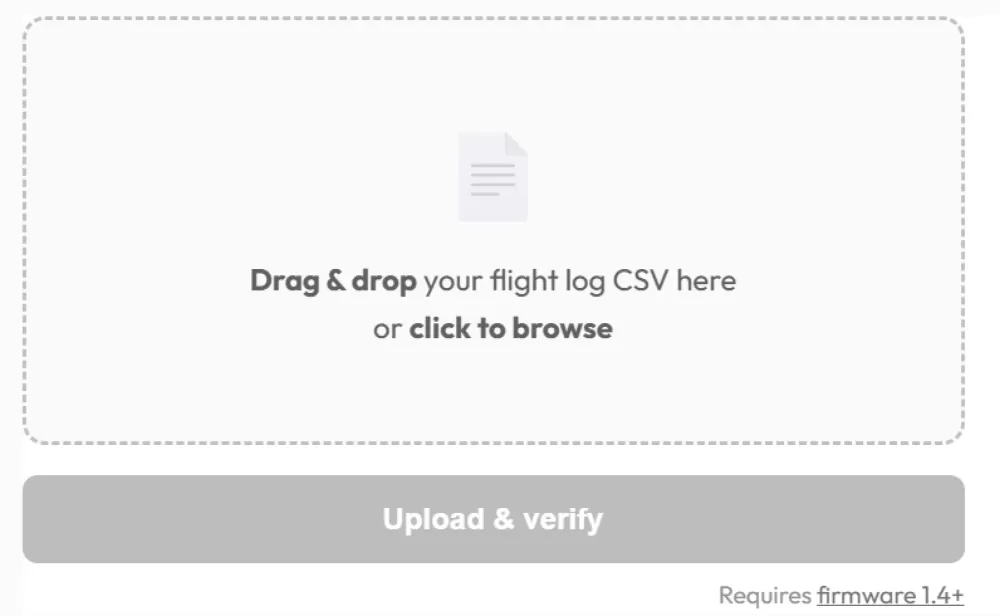
Visit the Log uploader page and drag and drop in the flight log files from the Nano's drive, the .aclz files (or .csv if you have chosen CSV logs). You can also click the file box to select files.
Or skip the drive altogether: on the upload page choose to upload straight from your altimeter, connect the Nano with a USB data cable, and it lists the flights on the Nano, marks the ones already on the Altimeter Cloud and uploads the rest. This needs firmware 1.60 or later and Google Chrome, Microsoft Edge or Opera on a desktop or laptop.
If your log has been edited, it will fail verification and won't be added. Flight logs are therefore always verifiable as genuine and unedited from the moment the Nano saves them to its flash memory.

Our flight log pages can be shared, and you can add extra information such as photos, videos, notes and even the motors you flew with.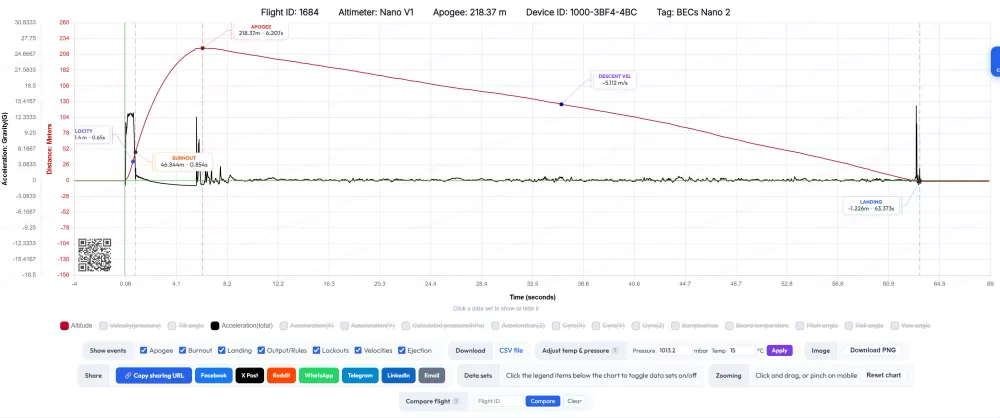
An ACLZ log cannot be opened in a spreadsheet, so once it is uploaded the flight page lets you download it as a CSV as well.
iGOOD TO KNOW
Your competitor tag and device tag settings are included in the flight log and verified by the secure hash system, so a flight log can't be altered after the flight to change the competitor or device details.
Here are some example flight logs