Flight mode is how the Nano spends its time at the launch site: sitting on the pad, watching for a launch, recording the flight, and saving the log afterwards. You do not select it from a menu, the Nano simply enters flight mode whenever it powers on without USB.
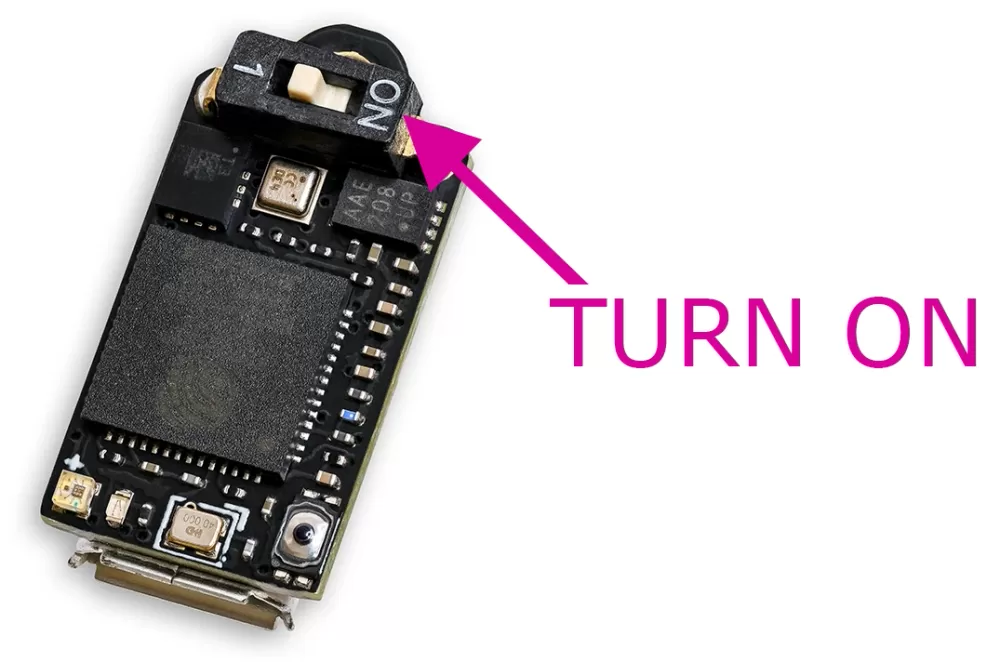
The rule is simple. Power the Nano on with a USB cable connected and it comes up as a USB drive so you can read your logs and edit settings. Power it on without USB, on its own battery, and it goes straight into flight mode. So at the field you just switch it on, away from a cable, and it is ready to fly.
As the Nano boots it runs through a series of internal checks, and you may see the status light flicker through a few different colours for a second or two, including a brief red. That is normal: those colours are mainly there to help us with diagnostics, and they pass quickly as the Nano moves on to its steady yellow warm-up.
Right at the end of start-up the Nano takes 1.2 seconds of pressure readings to set its starting ground level, and the light flashes quickly between orange and blue while it does. You will see this every time it powers on.
The one thing to watch for is a red light that stays on and never moves on to the yellow warm-up. The Nano holds on a steady red and stops if one of its start-up checks fails, for example if it cannot set up its recording memory or reach one of its sensors. If that happens, switch it off and on again, as a one-off glitch will usually clear on a restart. If a problem ever persists across several boots the Nano will automatically reformat its storage to try to recover, and if it keeps stopping on red, please get in touch with support.
When it first powers on, the Nano shows a warm yellow light that pulses roughly every two seconds while it settles its sensors and builds up its ground reference. Launch detection is off during this time. It turns green, slows the pulse to once every four seconds and arms itself once all of these are true: at least 15 seconds have passed since power on, it has a full 8 seconds of readings in its pre-flight buffer, and the air pressure has been steady (it waits up to 20 seconds for that, so a windy pad still arms). If you are closing up the rocket or moving it around, it may simply stay yellow a little longer. From that point you can leave it as long as you need to: from a full charge the Nano will happily sit armed on the pad for over four hours, with the power saving energy mode (emode 2) stretching it the furthest, so there is no rush between setting up and launching.
If the battery is low when you switch on, the Nano warns you with a short burst of red and orange flashes before it carries on, so you have a chance to charge it before committing to a flight.
There is a section below "Reading the status light" which details how you can gain information from the status light flashes.
The Nano watches its barometric altitude against the ground reference it has been keeping on the pad. Once the rocket is above the launch detect height (30 metres by default, which you can change in the settings), the Nano needs that to hold before it commits: for 1 second if the motor is still burning at that point, or for 2.5 seconds on altitude alone. It keeps several seconds of data in a pre-flight buffer at all times, so the log still starts from before lift off, with the moment of launch and the climb off the pad saved in full. Launch detection is also held off while a USB cable is supplying power.
It is worth setting the launch detect distance to suit your flight. As a rough guide we suggest about a quarter of your expected apogee, so a 200 metre flight would use around 50 metres. We would not go below 25 metres, so that ordinary handling on the pad and changing weather cannot trip it, nor above 100 metres, so it still catches a lower flight in good time. You will find the setting, and its full range, on the settings page.
On Rev4 and later boards the accelerometer provides that quicker route. When the altitude has been above the launch detect height for 1 second, the motor must still be pushing: the acceleration has to be above the launch protection setting (2 G of total acceleration by default, which is 1 G on top of gravity) at that moment, and have stayed there without a break for at least 400 ms, or above twice the setting for 200 ms. A knock earlier on cannot count towards it, so a bump on the pad or refitting the nose cone never looks like thrust. Smaller motors often finish burning before that second is up, and those launches are confirmed on the 2.5 second route instead. Nothing is lost either way, because the log reaches back to before lift off. You can turn the accelerometer check off in the settings if you would rather rely on altitude alone. There is also a startup lock setting that holds off launch detection for a chosen number of seconds after power on, handy while you are still handling the rocket.
In flight mode the light pulses in a colour that tells you what the Nano is doing. It pulses about every two seconds while warming up, then settles to once every four seconds once it is armed and recording:
| Light | Meaning |
|---|---|
| Quick orange and blue | Taking its start-up ground reference, for about a second |
| Yellow | Settling after power on; launch detection is off |
| Green | Armed and ready, waiting for a launch |
| Purple | Recording a flight |
| Red, green, then white, orange or blue | Saving the flight (see the TrueFuse and TruePath page) |
The number of flashes tells you whether there are flights stored on the device. One flash means there are no flight logs saved yet. Three flashes means there are logs on the drive. That makes it easy to confirm after a flight that something was saved: power the Nano back up and look for the three flashes. It is just as useful the other way round for competitions, where a single flash confirms the device is blank with no previous flights stored, handy if you need to show a scrutineer that the altimeter is starting empty.
There is also an optional battery flash. While the pack is healthy you will just see the status colour, but once the battery drops to around half or below, a second coloured flash appears straight after the one or three status flashes to show roughly how much charge is left. These figures are rough estimates read from the battery voltage:
Blue, around 50% left Orange, around 30% left Red, under about 20%, charge before flying
When the Nano detects that the flight is over it processes the flight and writes the log to its drive, ready to read or upload the next time you connect it over USB. If the maintain power setting is on, it will then blink out the apogee altitude in colour so you can read the peak height straight off the pad before you even pick it up (the colour code is on the altitude blinking page). For everything that happens once the rocket is back in your hands, from recovering the device to reading and verifying your flight, see the after landing page.